As a reminder to lease changes: you should never make changes to the first lease flow after the lease start date and initial balance sheet postings, as this will affect the initial starting balance of the lease.
Creating lease changes manually
When a change occurs during your lease term, you can alter the agreement via the ‘lease changes’ tab in the lease agreement. You have option to make the change using:
- Increase in scope/term
- Decrease in term
- Decrease in scope or
- Terminate lease.

With this change selection you make changes to all remaining lease flows of your lease agreement. Increase in scope/term allows you to lengthen the lease term or increase the scope whereas ‘decrease in term’ gives the option to shorten the lease term. Moreover, ‘decrease the scope’ allows you to reduce the scope of the underlying lease agreement and ‘terminate the lease’ option brings the lease contract to an end.
1. Increase in scope/term When selecting ‘increase in scope/term’ the following information should be inserted:
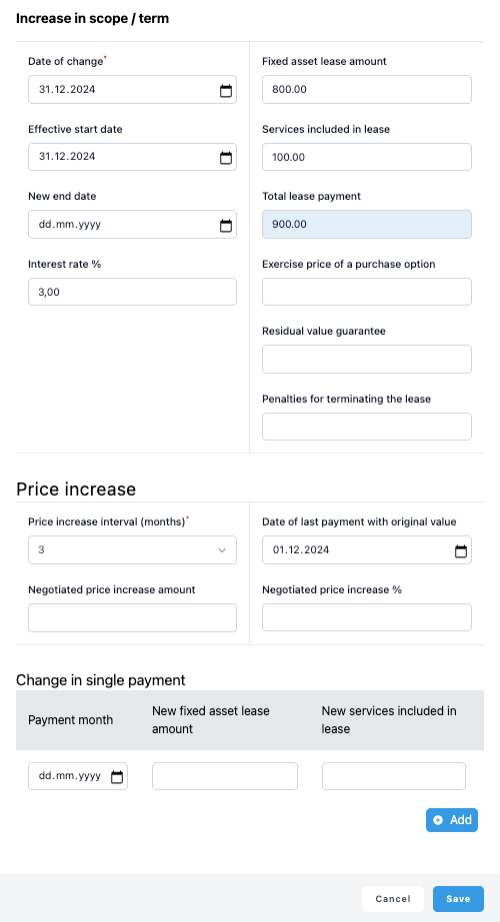
- Date of change, which is the date of the new agreement. New values will be calculated using this date as a start. System requires the data to be the first day of the month and therefore next day of the previous flow.
- Effective start date is the date when the actual payments is changed. Use here the first day of the month.
- New end date should be changed if there is a change to the lease agreement end date. System requires the date to be the last day of the month.
- Interest Rate can be changed if needed.
- Enter new ‘Fixed Asset Lease amount’ if there has been a change.
- Enter new ‘Services included amount’ in the lease if there has been a change.
And finally, total lease payment is automatically calculated from the Fixed Asset Lease amount and Services included.
These three fields will have an effect on your ‘Lease Liability’ and your ‘Right-of-Use’ asset:
- Exercise price of a purchase option
- Residual value guarantee
- Penalties for terminating the lease
If you enter any values here, you need to be certain that you will execute these at the end of your lease term. The liability amount will show these values at the end of the lease term, which you then need to write off on your Balance Sheet with the payments.
Once you have inserted all the information for the change click "Save" and the system will adjust your balance sheet values accordingly.
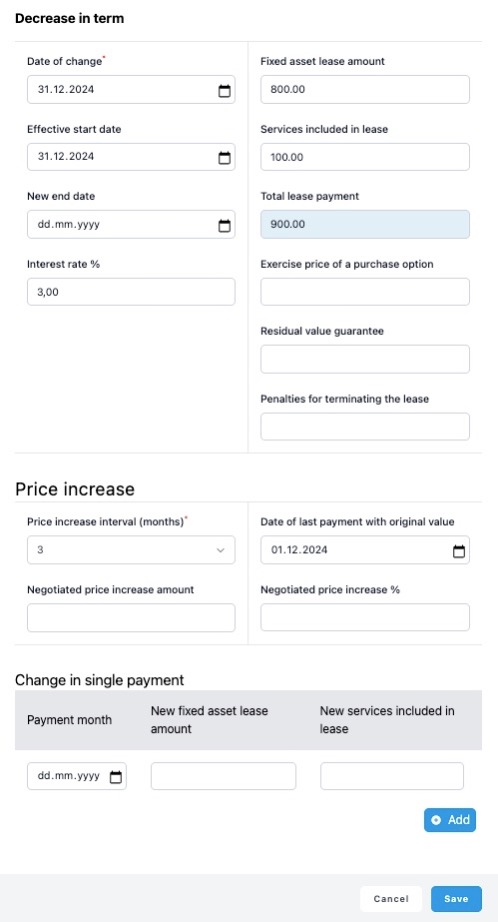
2. Decrease in term works with the similar principles than explained for the Increase in scope/term, though it’s only used for the purpose of reducing the lease term.
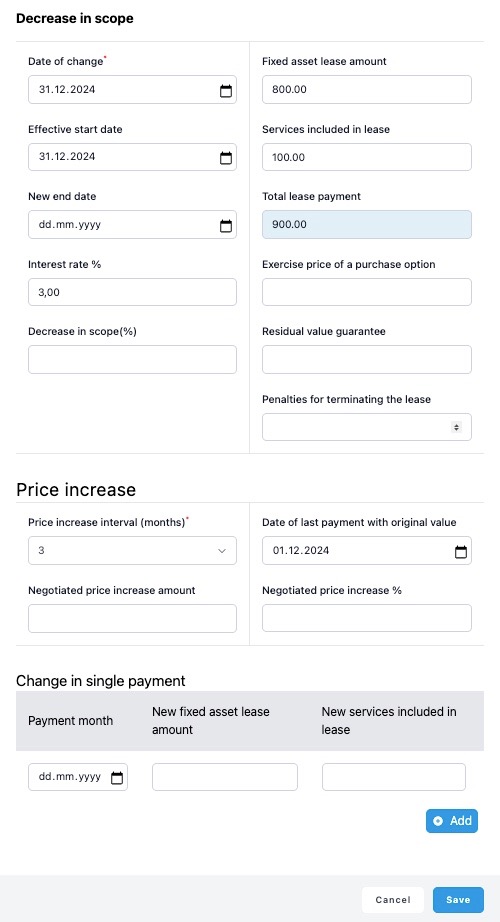
3. Decrease in scope in turn is for cases where there is the lease scope is reduced. For example, if you are renting a 100 square meter office space and you continue using only 75% of the space, you are able to make a 25% decrease to your lease terms by inserting the value 25. System will then automatically update reduced flow values for the remaining term on your lease flow table.
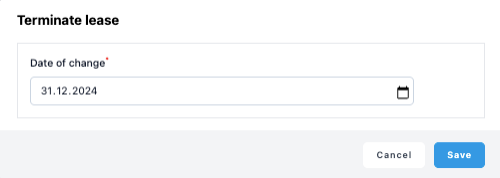
4. Terminate Lease is the change option to use when you want to put an end to a lease agreement immediately.
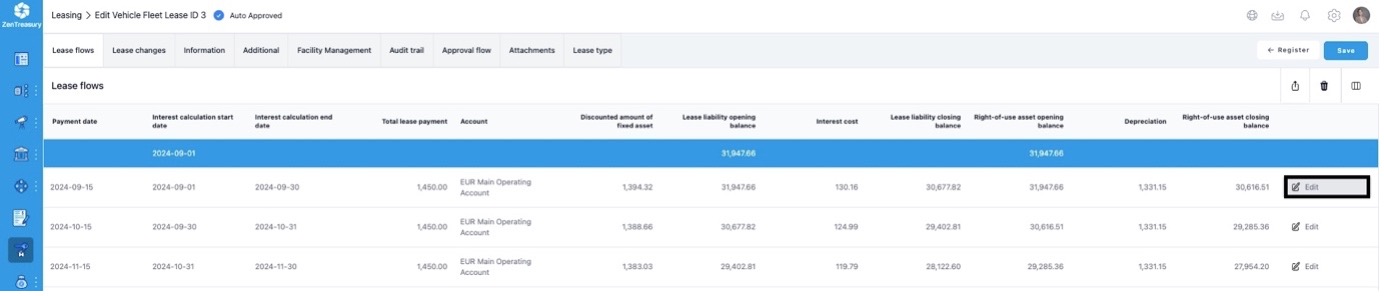
Alternative way to change a single lease flow is to go on the Lease flows view and select edit from the end of the flow row. The only exception is that you cannot make changes to a single flow that has already been created through the lease changes function.
Lease changes in Audit trail
In order to track the changes made to your lease agreement, you can go to ‘audit trail’ sheet and keep track what type of changes have been made, when they were made and by whom. Every change is saved as a separate lease change item.

Was this article helpful?
That’s Great!
Thank you for your feedback
Sorry! We couldn't be helpful
Thank you for your feedback
Feedback sent
We appreciate your effort and will try to fix the article