In this support article you will learn how to add lease agreement with larger first payment.
Example:
3-year lease agreement with monthly payments of 1000 €, but the first payment is 5000 €.
Start: 1.1.2025, payments on 1st of the month.
IBR: 5%
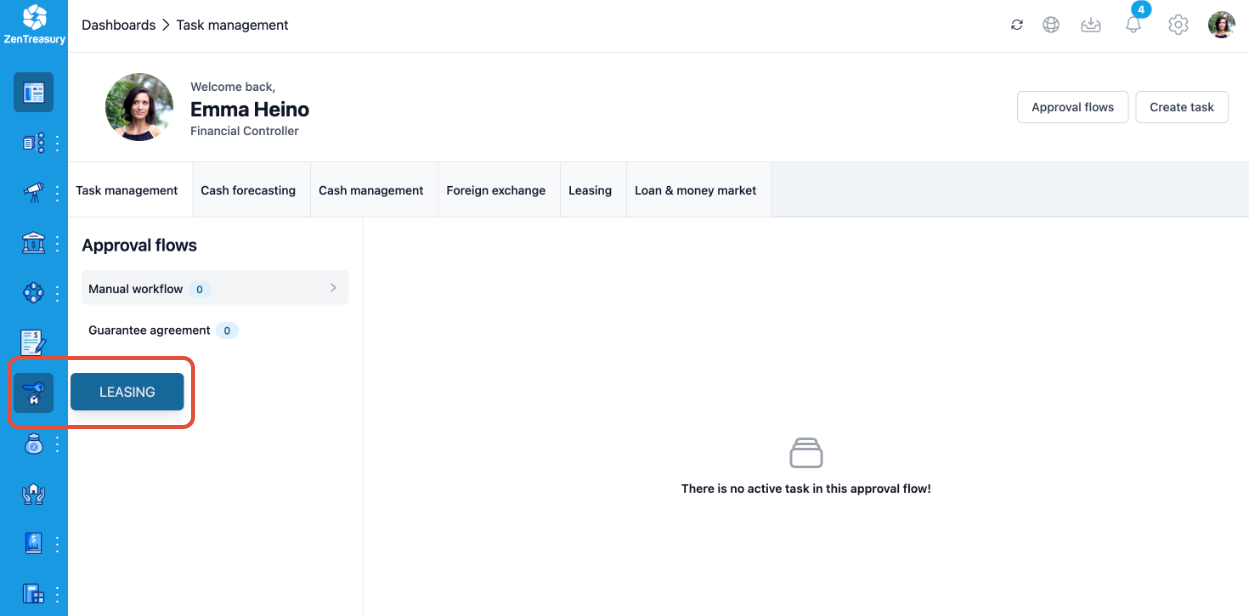
1. In the navigation menu on the left, go to LEASING
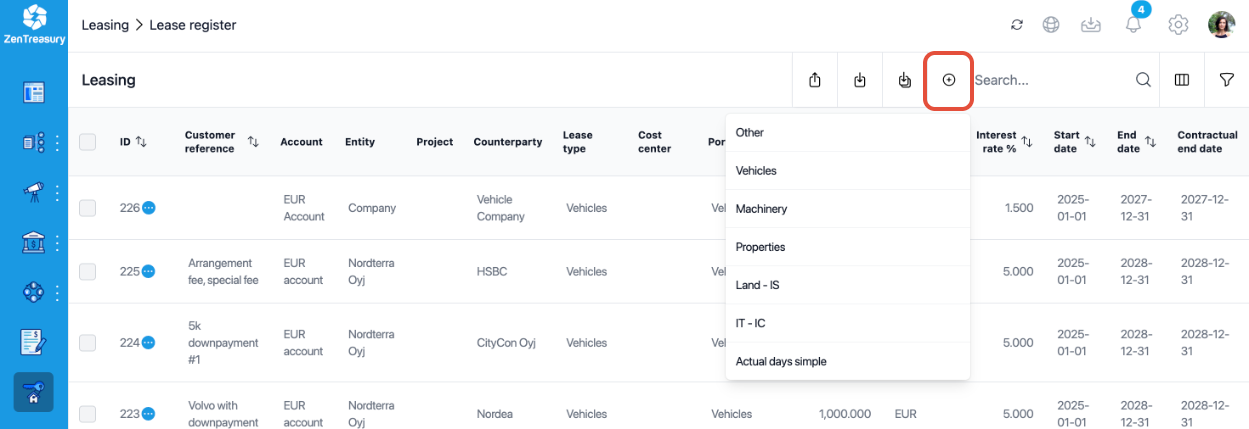
2. On the top-right press the add button and select a lease type
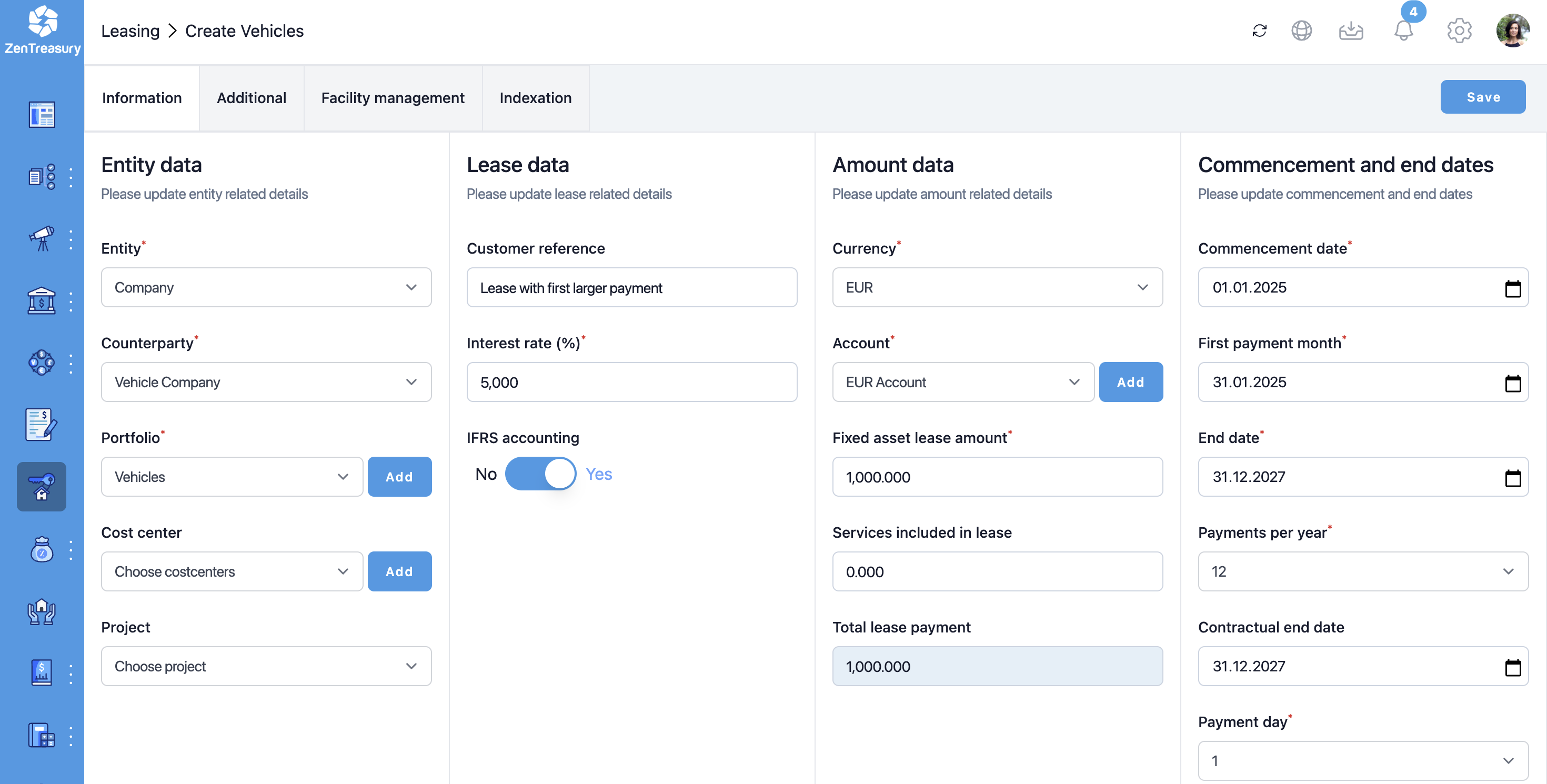
3. Fill-out the new lease information as you would for a lease with regular monthly 1000 € payments. Ignore the larger first payment for now. Press save.
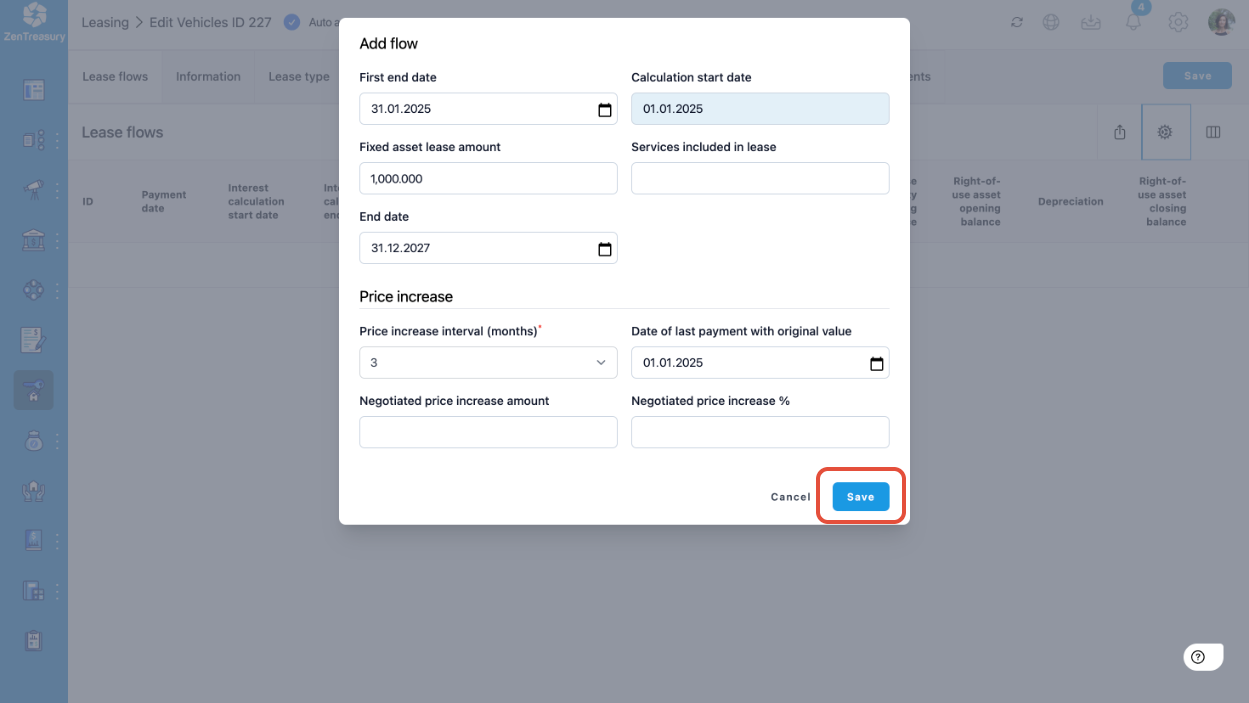
4. Generate the lease flows for the new lease by clicking on the cog symbol.
5. In the opening window, press save
6. Scroll down to the bottom of the second page of the opened window and press save again.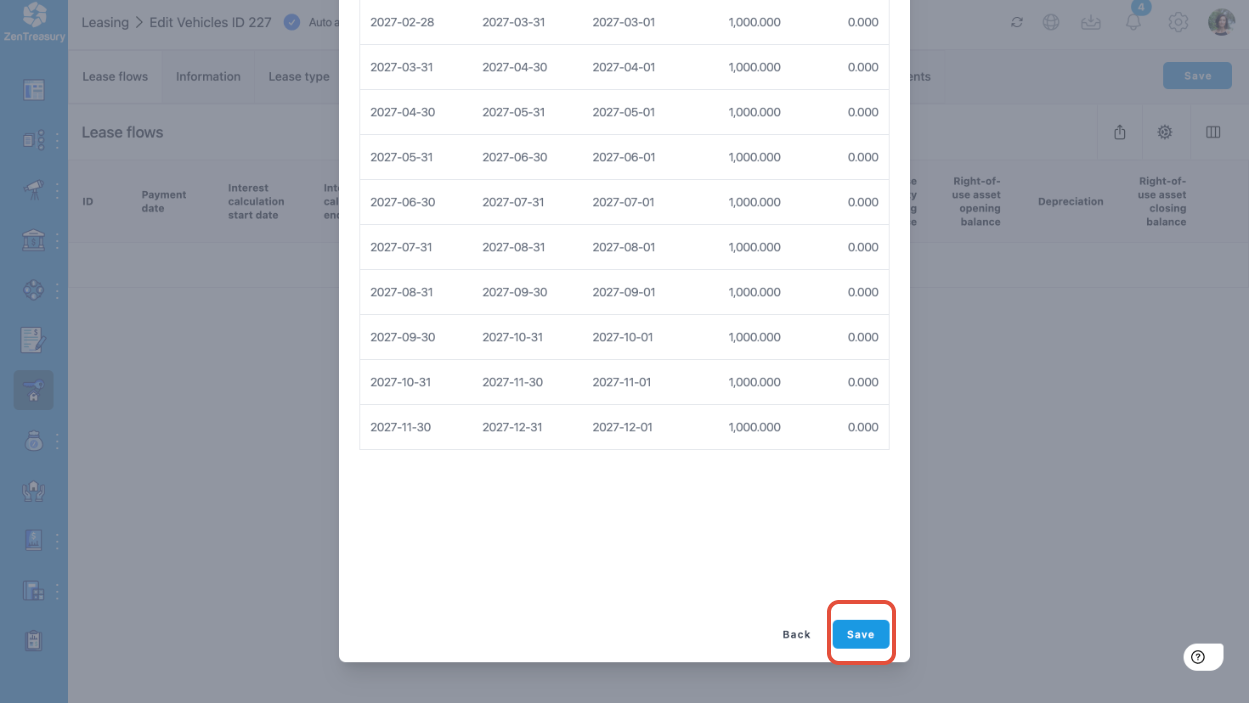
7. Now, on the right-side of the screen, press Edit on the first row (row of first payment).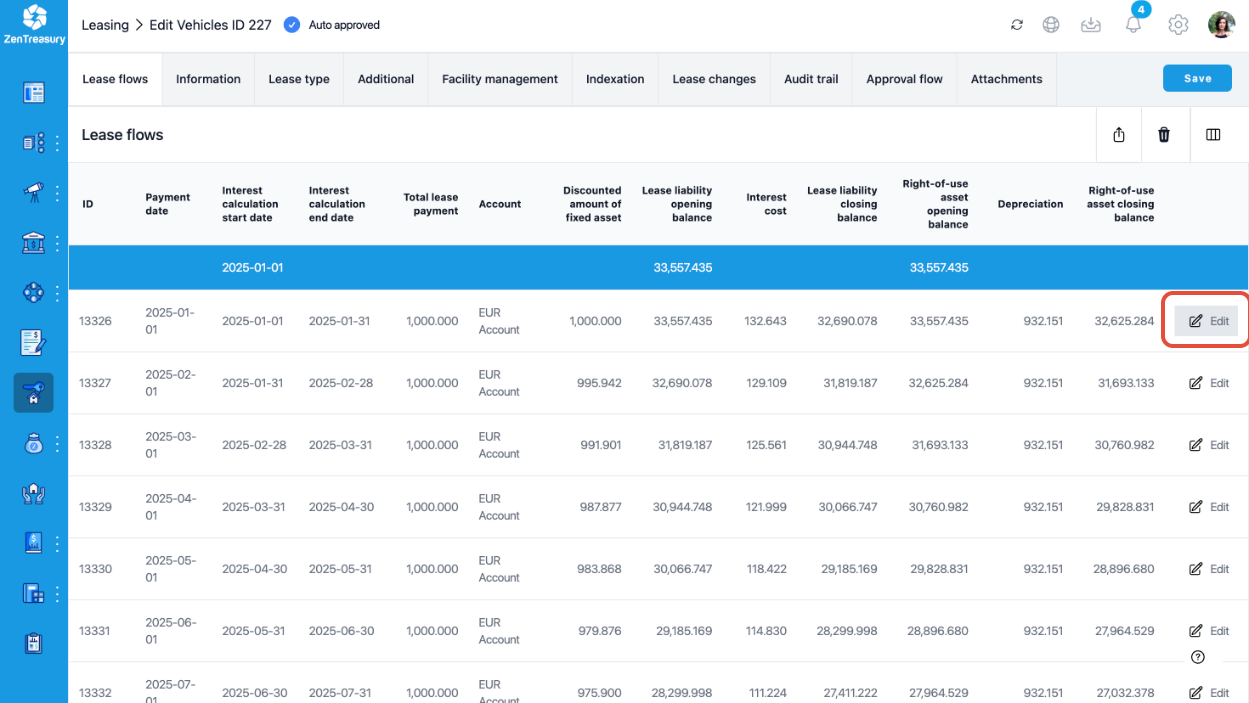
8. In the opening window, correct Fixed payment amount to be the correct value for the first larger payment, in this case 5000 € and press save.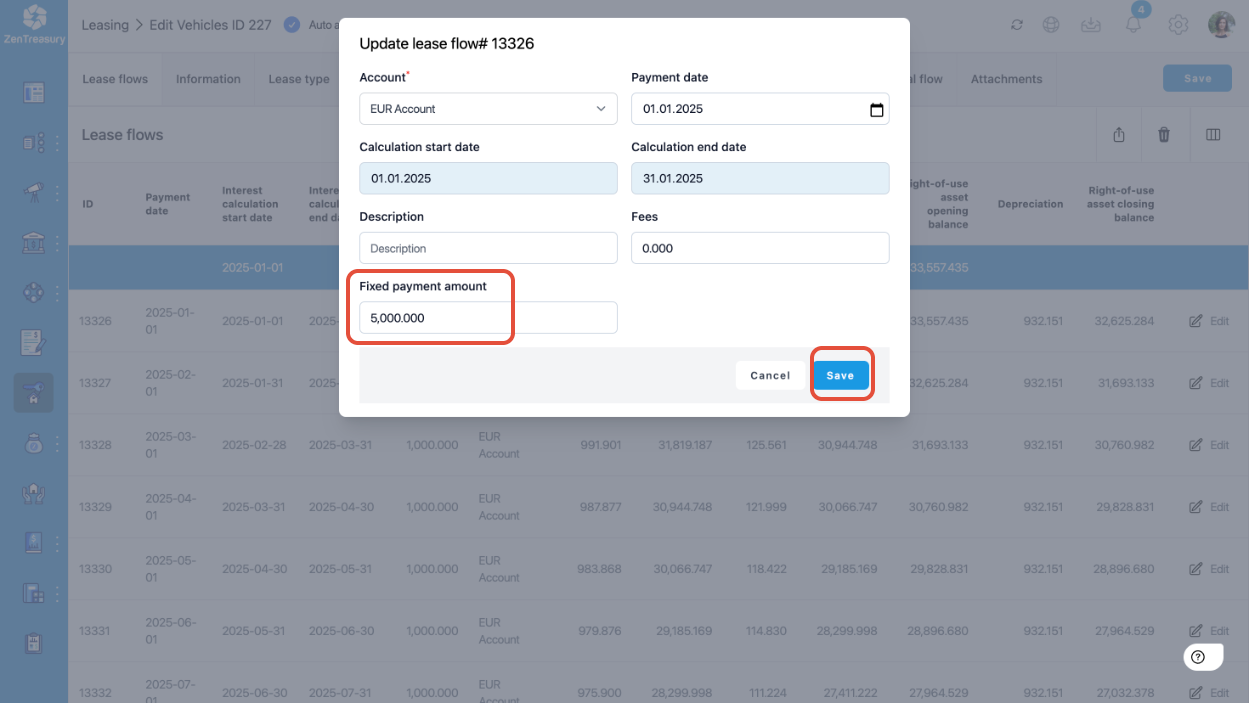
9. The lease is now added and the first payment is modified to reflect the larger first payment in the agreement (5000 €).
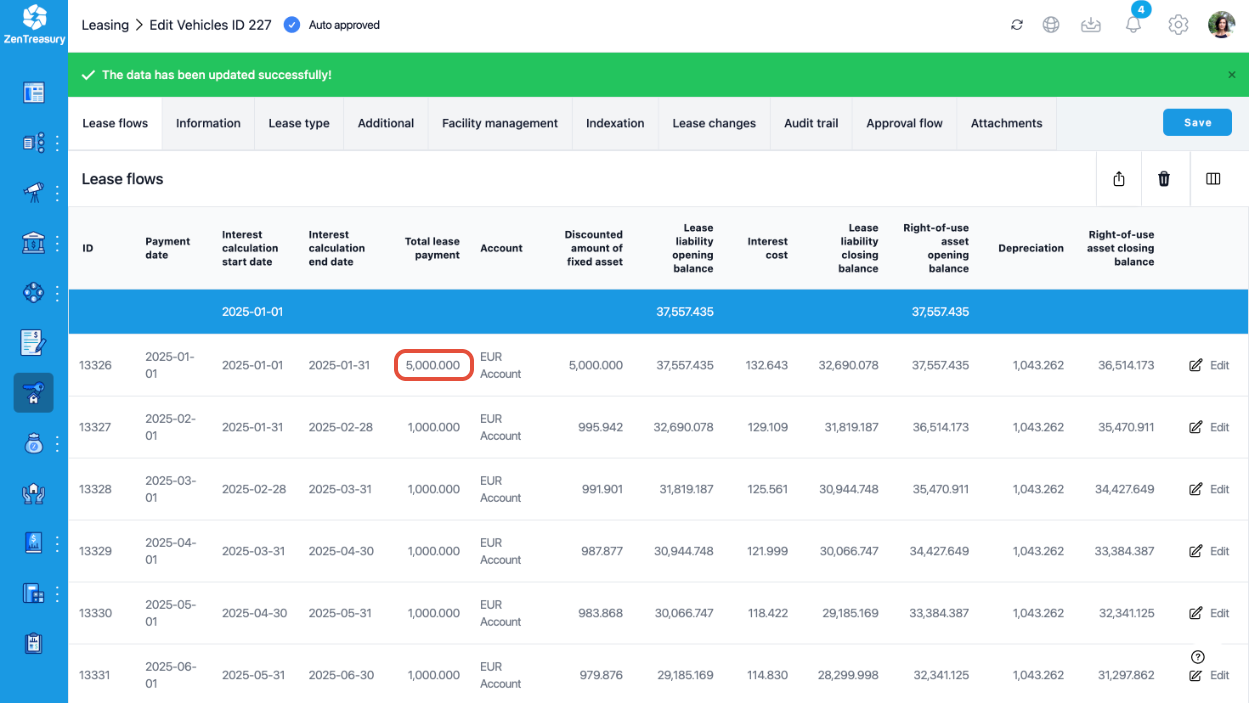
NOTE: Do not use this method to change individual lease payments during the lifetime of the lease (e.g. if you get a rent-free month). Lease changes during the lifetime of the lease should be made under the LEASE CHANGES tab:
Was this article helpful?
That’s Great!
Thank you for your feedback
Sorry! We couldn't be helpful
Thank you for your feedback
Feedback sent
We appreciate your effort and will try to fix the article