Under IFRS 16, the term “downpayment” is not a defined concept and can refer to different types of payments with distinct accounting treatments. The correct classification depends on:
Timing – whether the payment is made before commencement (lease start date), on commencement, or during the lease term.
Refundability – whether the payment is refundable (e.g., a security deposit) or non-refundable.
Economic effect – whether the payment relates to future lease periods, alters future lease payments, provides rent-free periods, secures a purchase option, or is simply an arrangement fee.
These factors determine whether the amount is:
- included in the lease liability and right-of-use (ROU) asset,
- included only in the ROU asset (no liability effect), or
- accounted for entirely outside IFRS 16 (e.g., under IFRS 9).
Common types of “downpayments” and their IFRS 16 treatment:
A) Refundable downpayment (security deposit)
- Refundable at end of lease.
- IFRS 16: Not part of lease liability or ROU asset.
- IFRS 9: Recorded as a financial asset
B) Advance payment (non-refundable) for prepaid months
- Paid before or on the commencement date (lease start date), covers specific future lease periods (reduces remaining rent obligations).
- IFRS 16:
- Excluded from the opening PV of the lease liability because it is not an unpaid future cash flow at commencement.
- Added to the ROU asset as a prepaid lease payment in the initial measurement.
C) Non-refundable downpayment with no effect on periodic payments
- One-off payment that does not reduce future rent (e.g., special leasing fee, arrangement fee).
- IFRS 16: Treated as an initial direct cost — added to ROU asset only.
D) Non-refundable payment linked to a purchase option or residual value guarantee
- Paid upfront to secure a purchase price or guarantee the lessor a minimum residual value.
- IFRS 16: Included in lease liability if the payment is unavoidable (e.g., RVG is expected to be paid) or in exercise price if purchase is reasonably certain.
E) Prepaid variable lease payments
- Paid upfront and offset against variable lease charges later (e.g., based on usage or index).
- IFRS 16: Included in lease liability if related to index/rate-linked payments; expensed when incurred if usage-based only.
How to add the lease agreement into ZenTreasury’s system depending on which type of downpayment it is:
A) Refundable downpayment (security deposit)
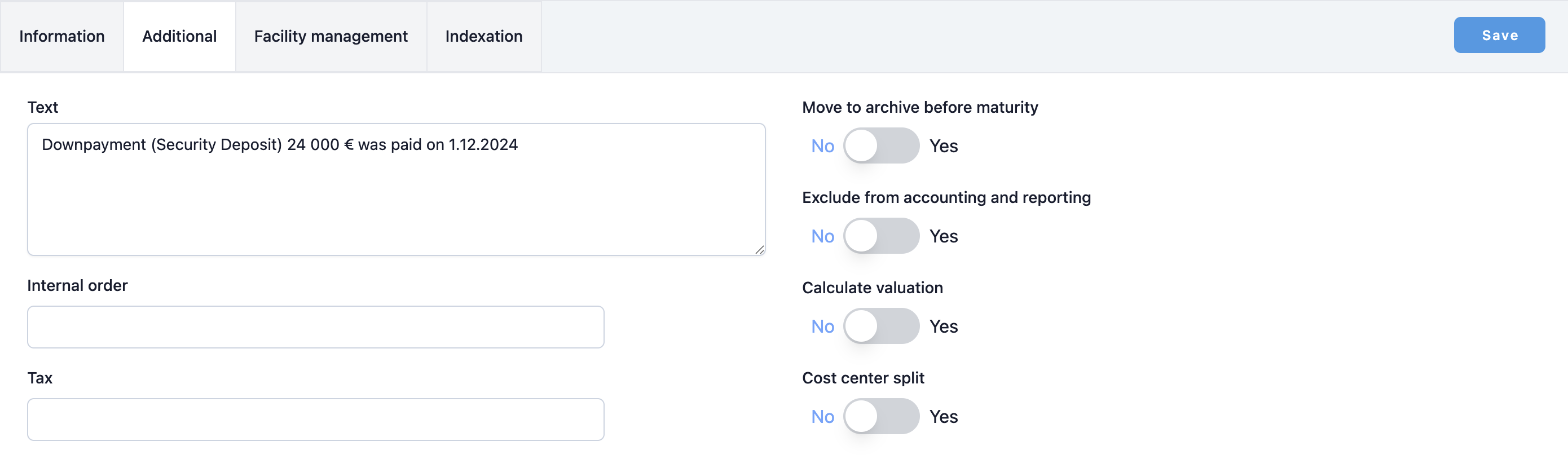
Enter this lease normally into the system. Leave the downpayment out of the lease entirely. You can mention its existence in the Text field in the Additional tab of the lease.
B) Advance payment (non-refundable) for prepaid months
Let’s take this example for illustration purposes.
Start: 1.1.2025, payments on 1st of the month. Payment from 1.8.2028 to 1.12.2028 are prepaid on commencement date.
IBR: 5%
There are two ways to enter this lease into Zentreasury.
B.1) Downpayment entered as “Lease payments made on or before commencement date”
- The €5 000 is excluded from the opening lease liability, because it represents a payment already made at or before commencement.
- The full €5 000 is added to the ROU asset as a prepayment, in line with IFRS 16.
B.2) Downpayment added to the first scheduled lease payment
- The €5 000 is treated as part of the first unpaid lease instalment, so it is included in the PV calculation and increases the opening lease liability.
- The same amount is also included in the ROU asset, as part of the total consideration for the lease.
B.1) Downpayment entered as “Lease payments made on or before commencement date”
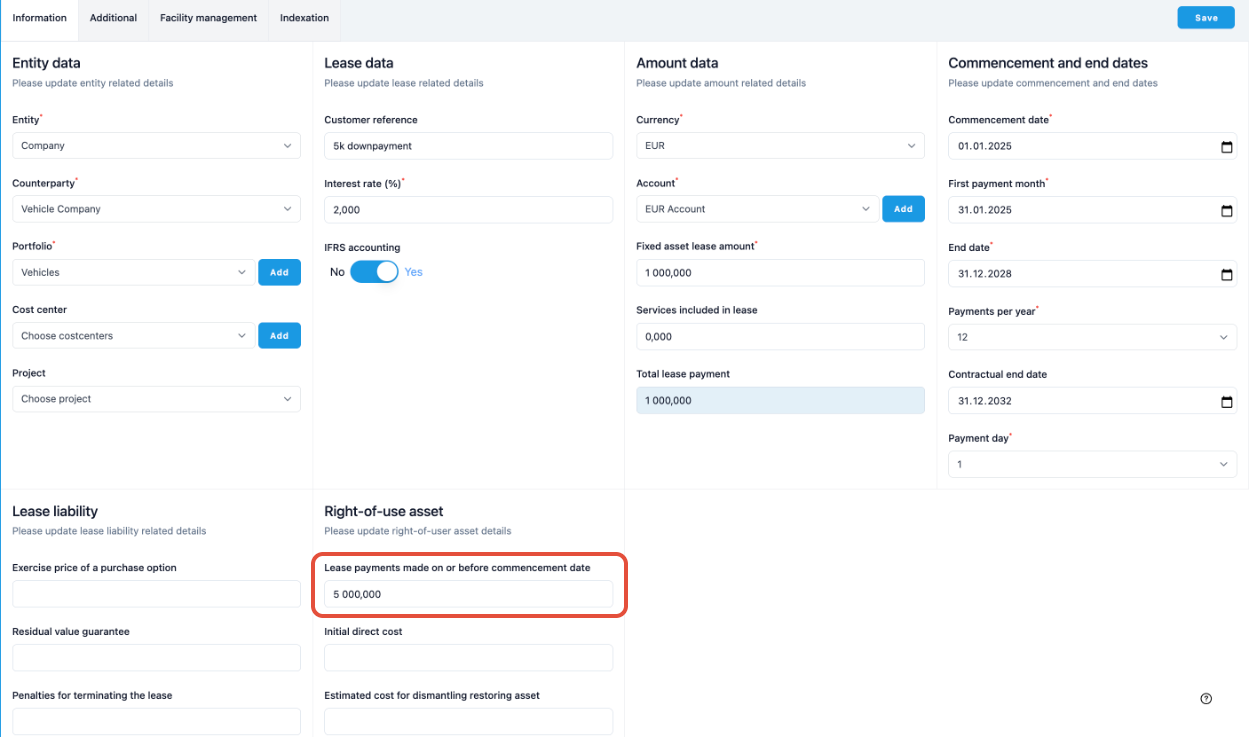
B.1.1 When creating the lease, enter the lease information normally and add the downpayment (prepayment) into the field “Lease payments made on or before commencement date”. Press save.
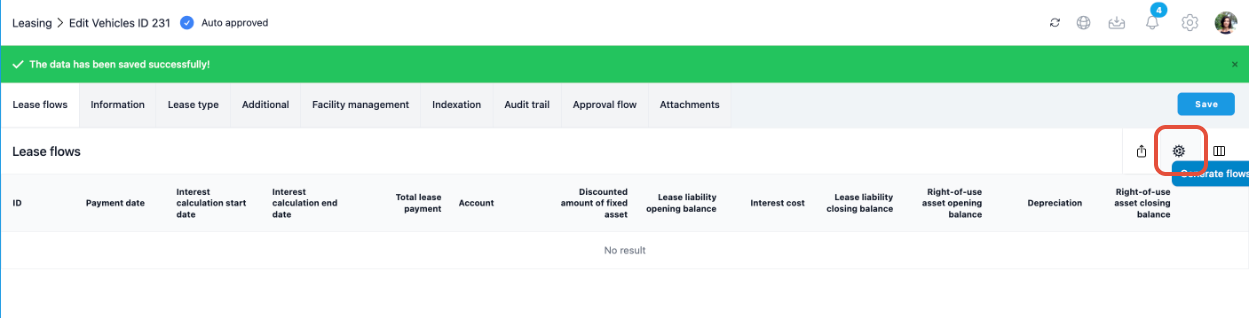
B.1.2 Generate the lease flows for the new lease normally by clicking on the cog symbol. and pressing save twice on the upcoming window.
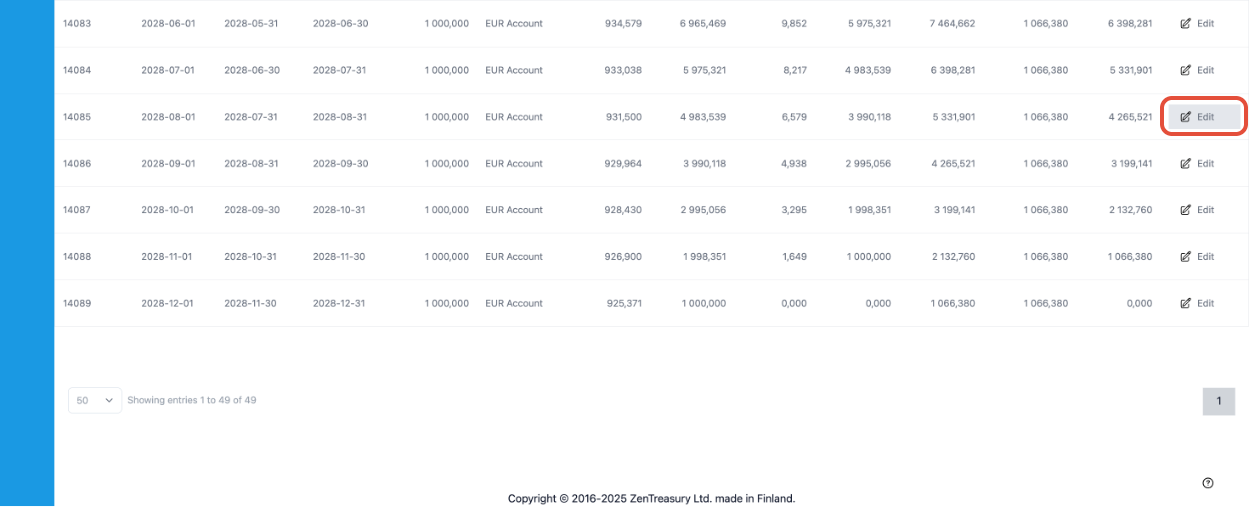
B.1.3 Scroll down to the bottom of the page, identify the last 5 payments and start editing them by clicking on Edit on one of the Edit-buttons.
B.1.4 In the opening window, edit Fixed payment amount to be 0. Click Save.
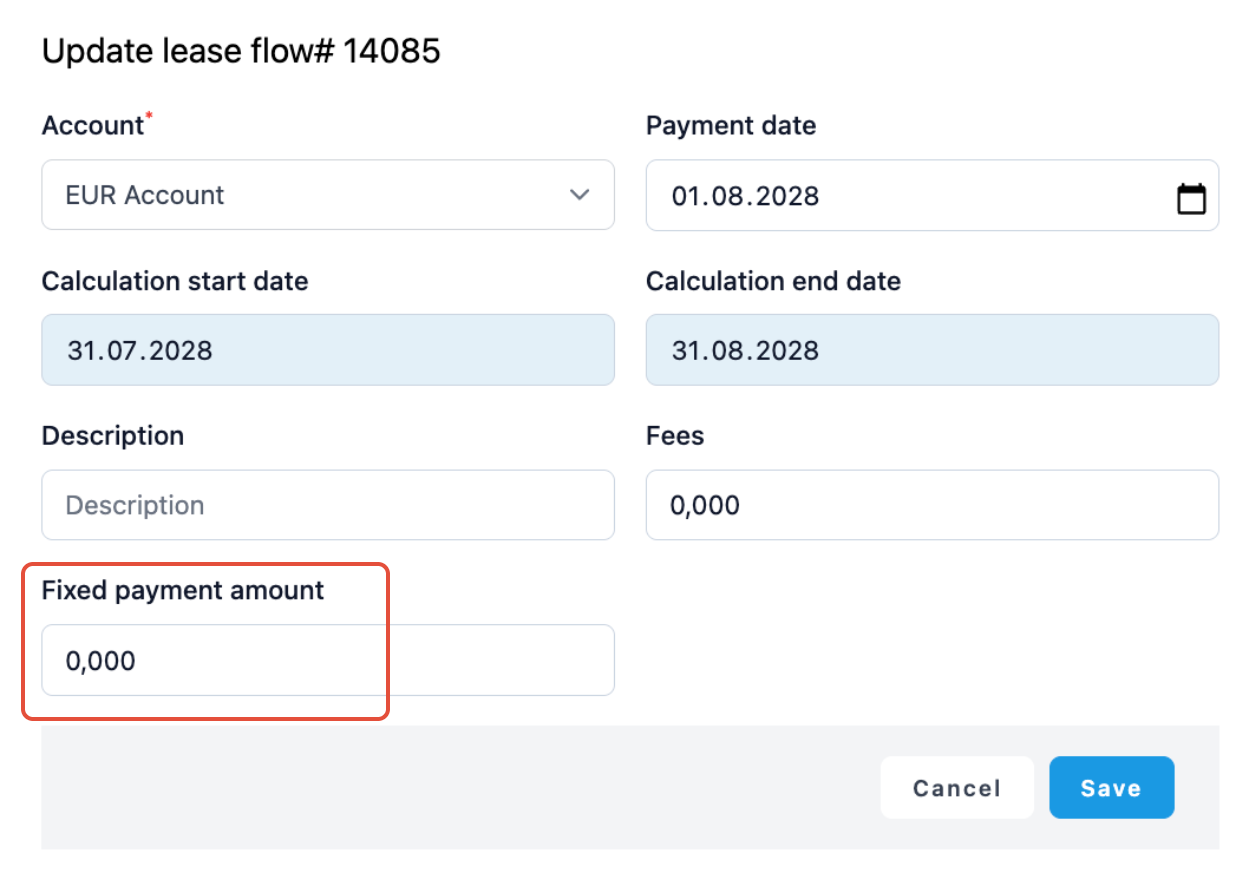
B.1.5 Repeat this for all 5 payments, until their payments have been edited to 0.
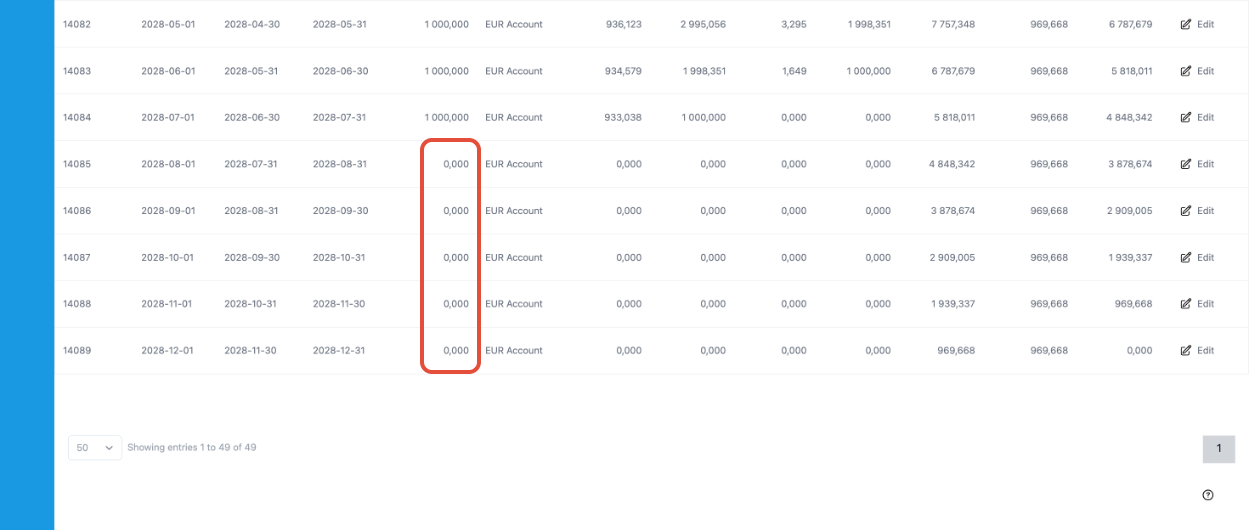
B.1.6 The downpayment (5000 €) is now included in the ROU asset calculations and not included in the lease liability.
B.1.7 When doing journal entries for the month in which the lease starts, remember to run the Additions to right of use asset - report. Start by clicking on the REPORTING module.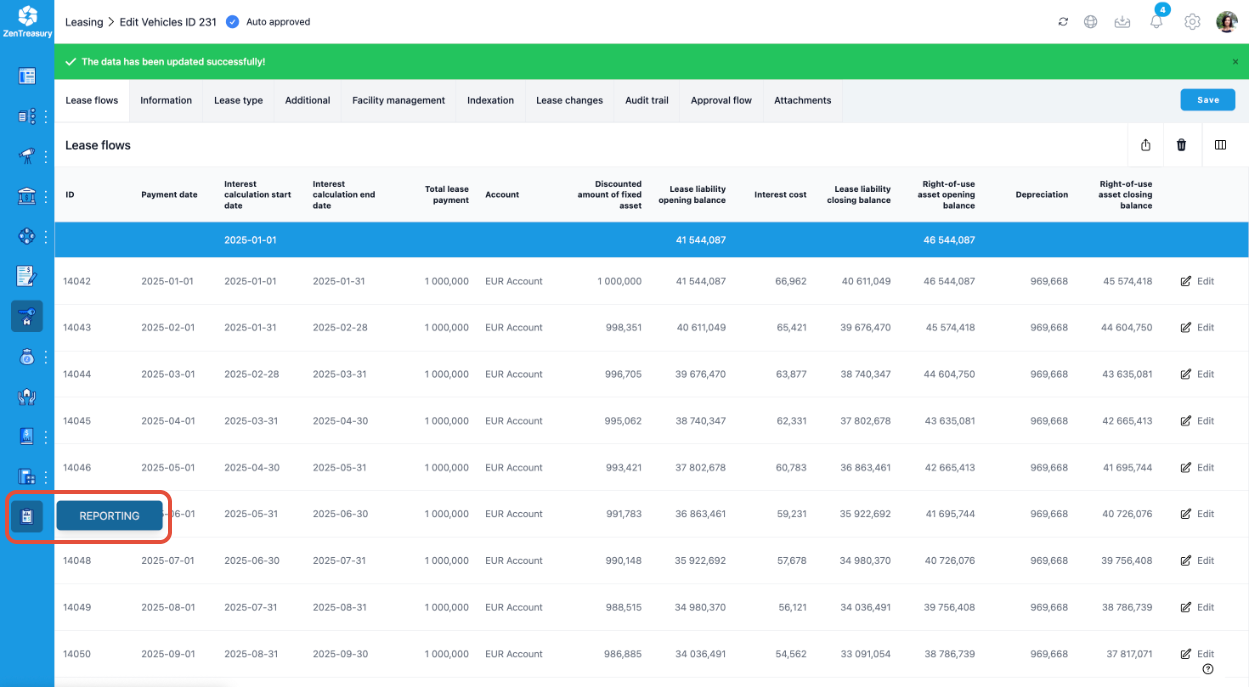
B.1.8 Next, click on Leasing. Then, click on Additions to right of use asset.
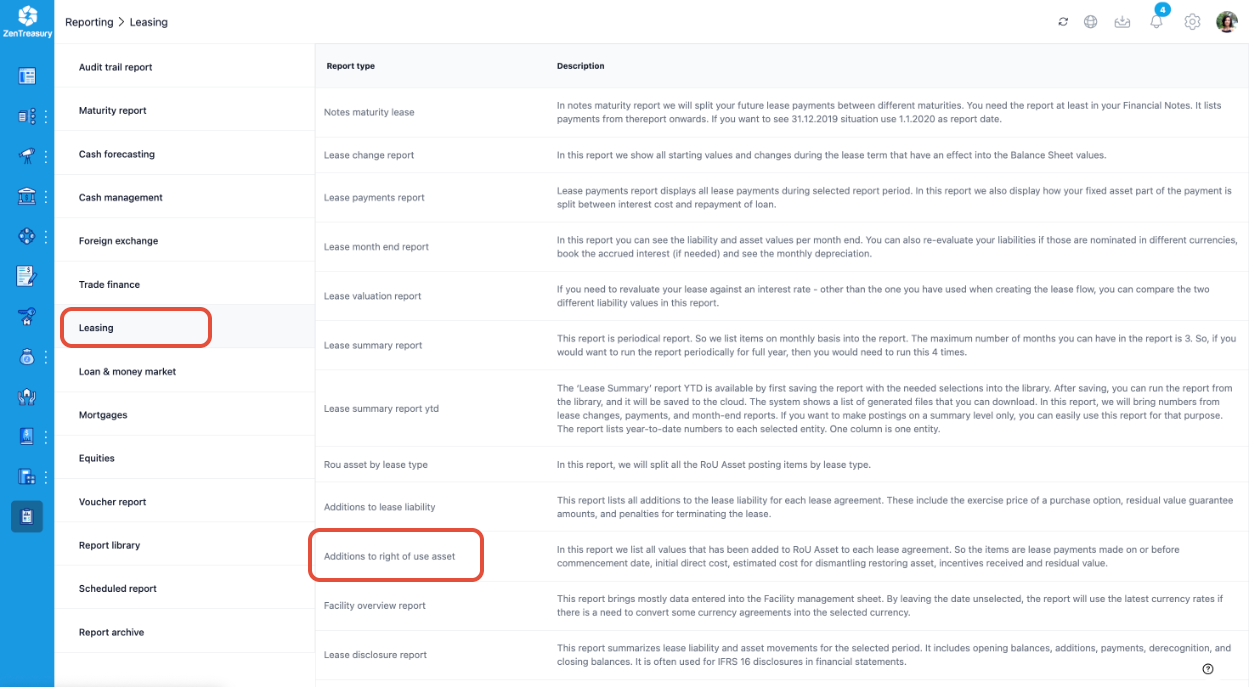
B.1.9 Specify the month, currency and possible filtrations and press Show.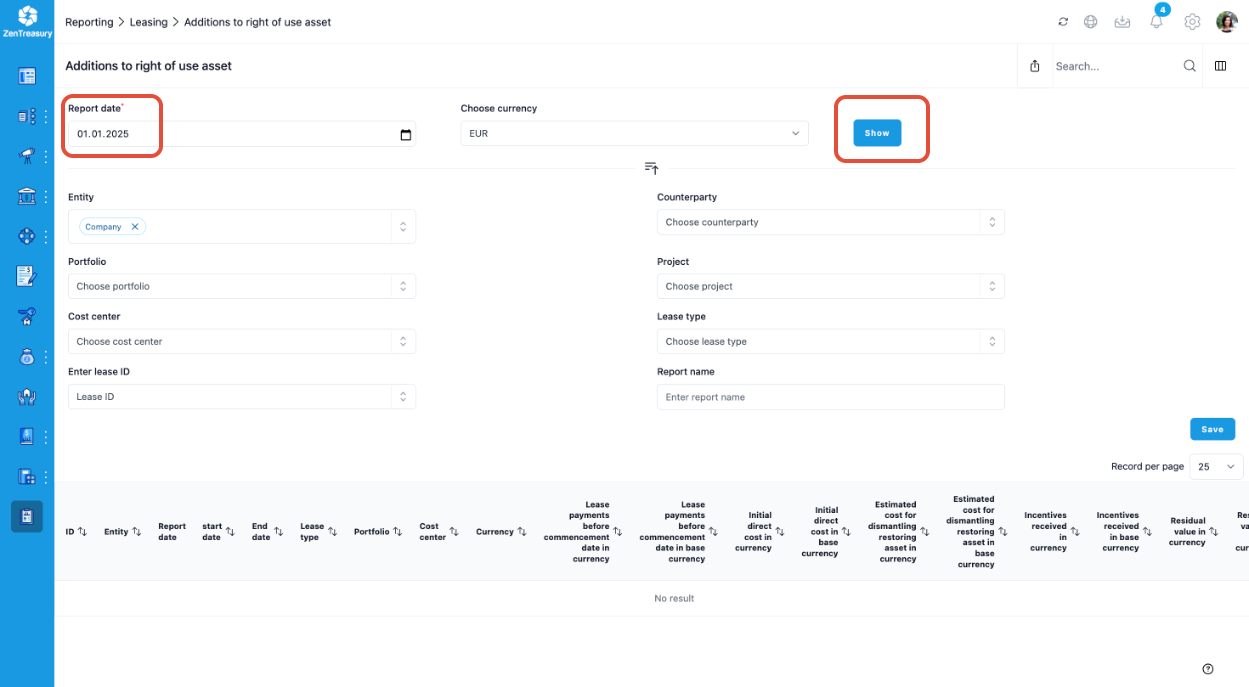
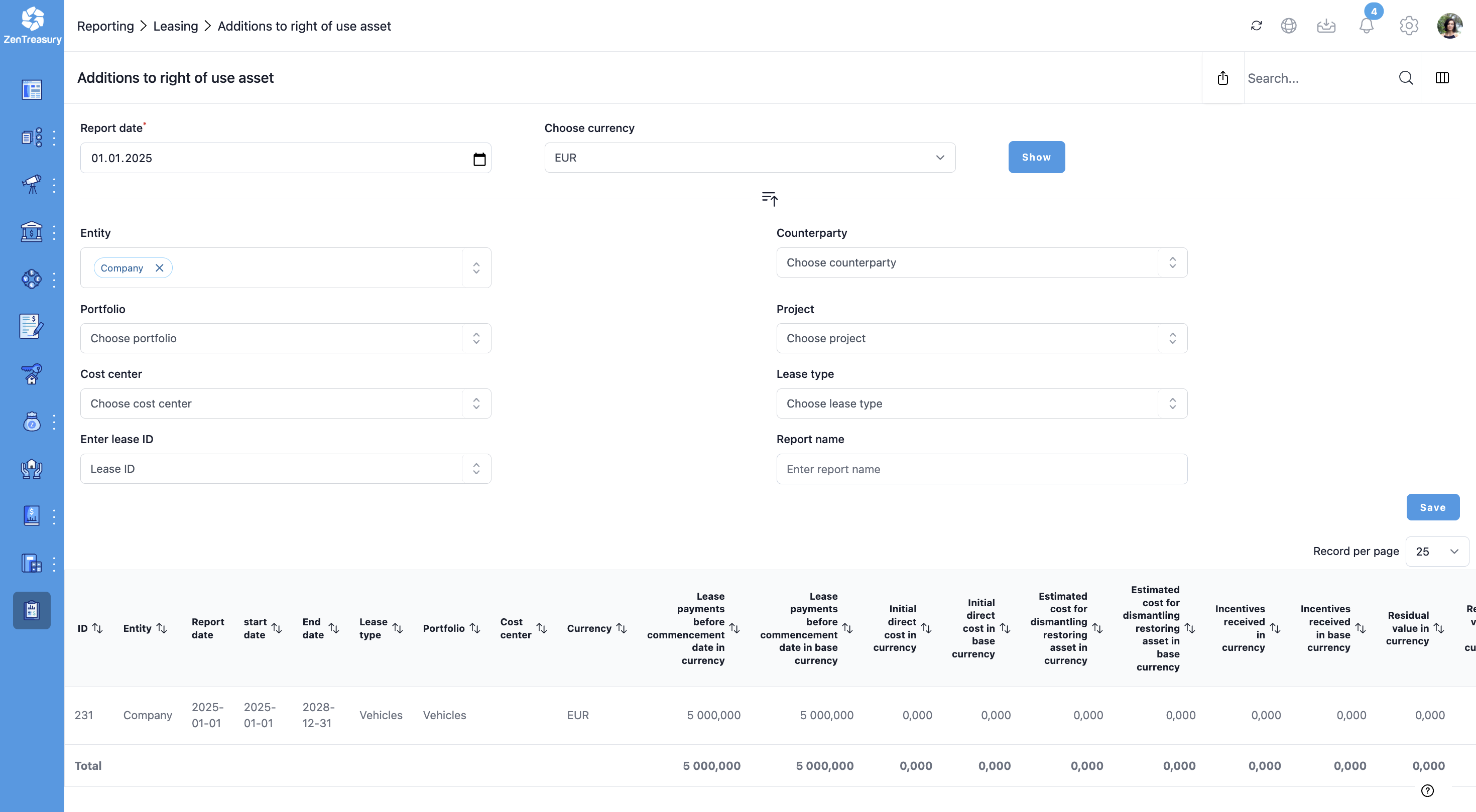
B.1.10 This is how this type of downpayment is found in reporting. In this case, the newest addition is visible on the bottom (ID 231).
B.2) Downpayment added to the first scheduled lease payment
If the downpayment will be added as part of the first lease payment, start out by adding the lease just as you would be adding a lease with a larger first payment, using the steps outlined in these instructions:
Note: In Step 8, insert 6000 € instead of 5000 €, as in our example the payment consists of the normal 1000€ payment + the 5000 € downpayment.
After step 9, continue to edit the rent-free payment periods at the end of the lease.
B.2.10 Scroll down to the bottom of the page, identify the last 5 payments and start editing them by clicking on Edit on one of the Edit-buttons.
B.2.11 In the opening window, edit Fixed payment amount to be 0. Click Save.
B.2.12 Repeat this for all 5 payments, until their payments have been edited to 0.
B.2.13 The downpayment is now included in the Lease liability opening balance and the Right-of-use asset opening balance.
C) Non-refundable downpayment with no effect on periodic payments
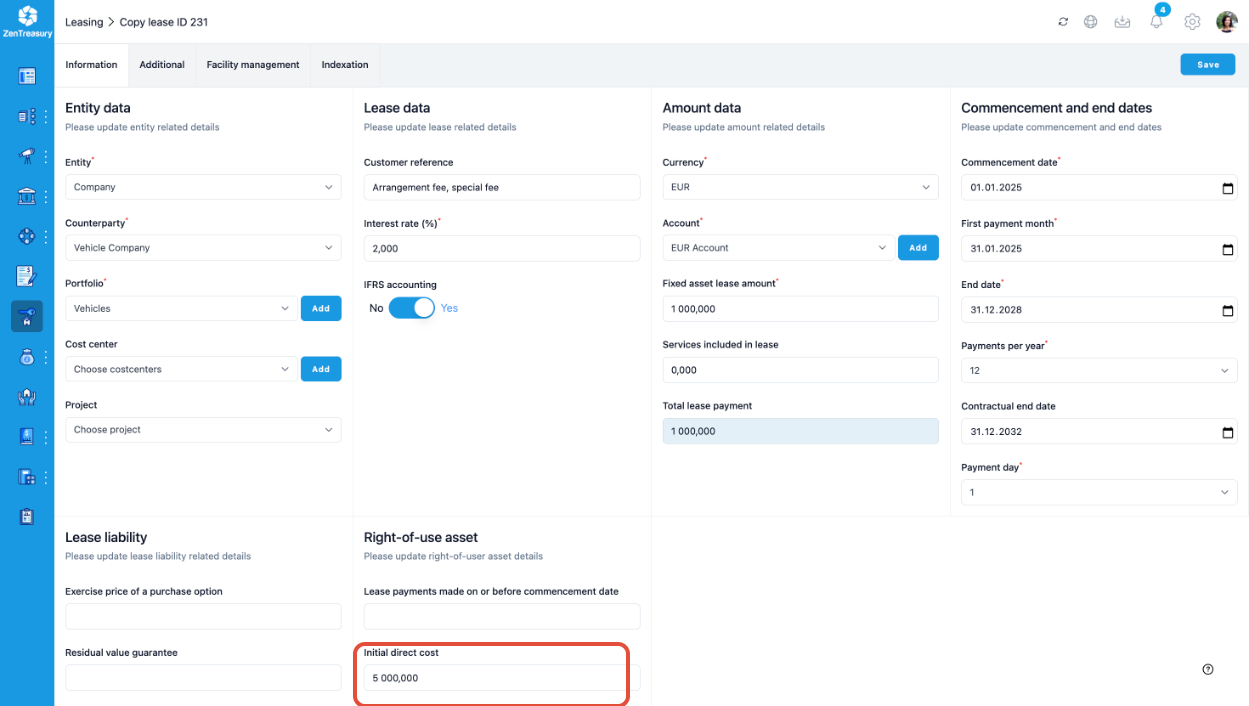
C.1 When creating the lease, enter the lease information normally and add the downpayment (prepayment) into the field Initial direct cost. Click save.
C.2 Generate the lease flows for the new lease normally by clicking on the cog symbol and pressing save twice on the upcoming window.
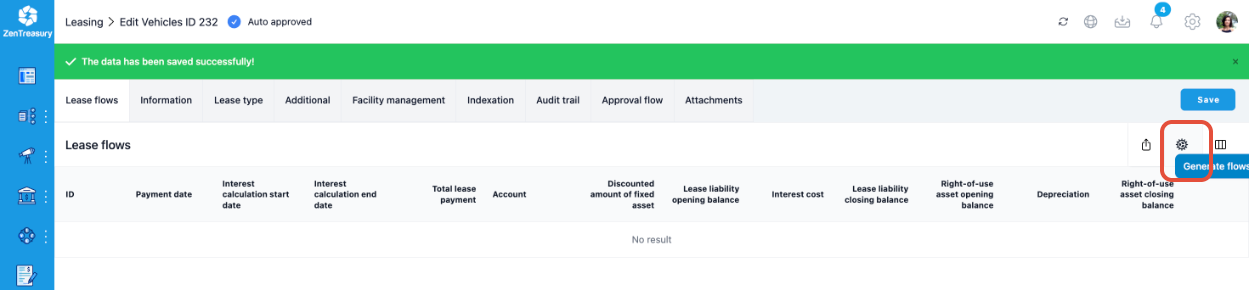
C.3 The downpayment is now included in the ROU asset opening balance and not included in the lease liability.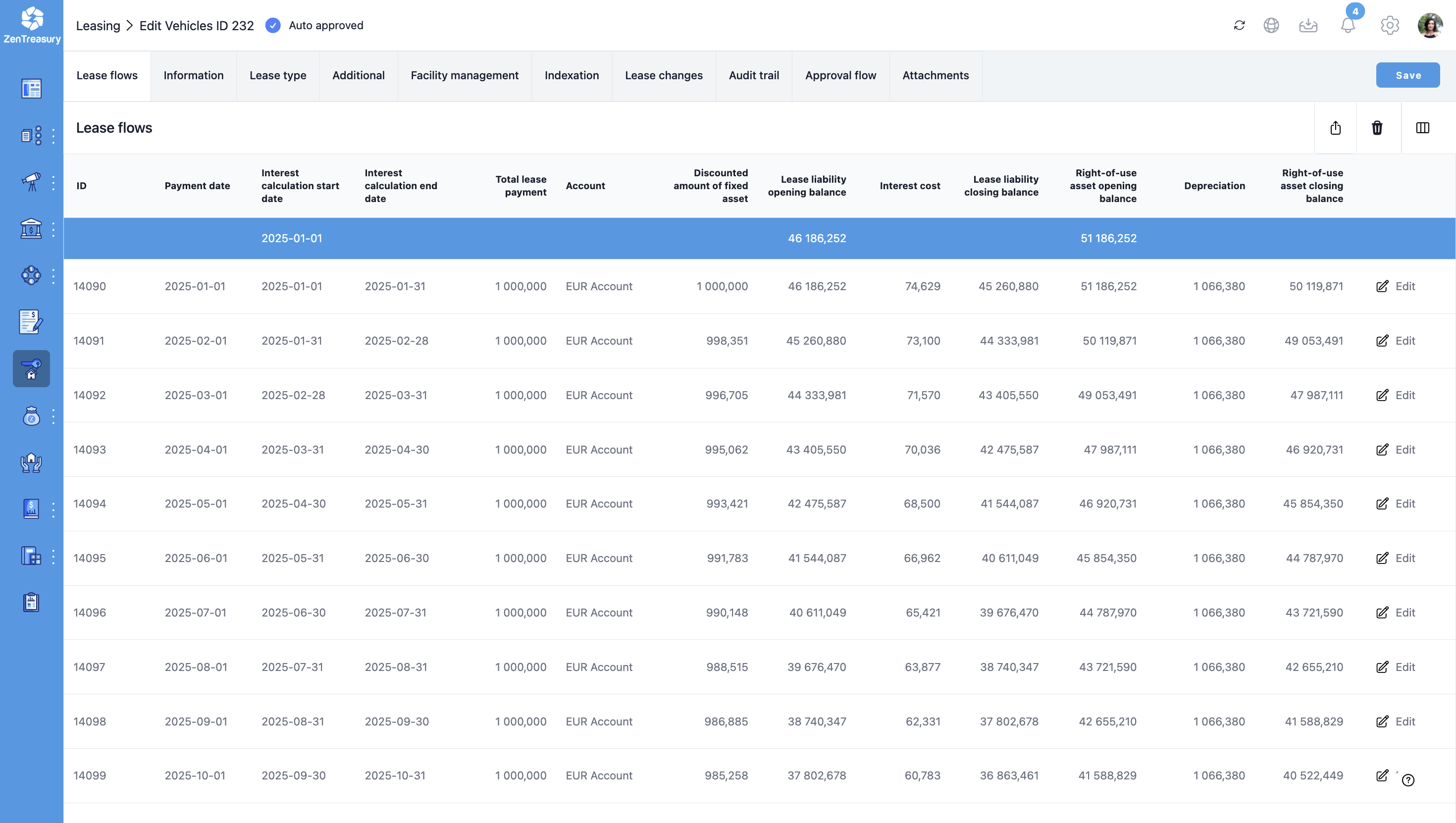
Was this article helpful?
That’s Great!
Thank you for your feedback
Sorry! We couldn't be helpful
Thank you for your feedback
Feedback sent
We appreciate your effort and will try to fix the article