In this support article you will learn:
1. How to add a lease agreement with residual value guarantee under IFRS 16.
2. How to change residual value guarantee when the estimate of residual value at lease term end changes.
Example:
3-year truck lease, starting on 1.1.2025, 36 payments, lease agreement ends on 31.12.2027, residual value guarantee is defined at 10 000 €.
1. Check what your organisation’s current estimate of the residual value (not residual value guarantee) of the asset is at the end of the lease term, on 31.12.2027 in this case.
1.A The estimate of the residual value at lease term end comes in and it is higher than the residual value guarantee. E.g. it’s estimated to be 15 000 € on 31.12.2027. Because the estimate is higher than your guarantee, you should enter the lease normally and leave the Residual value guarantee field empty.
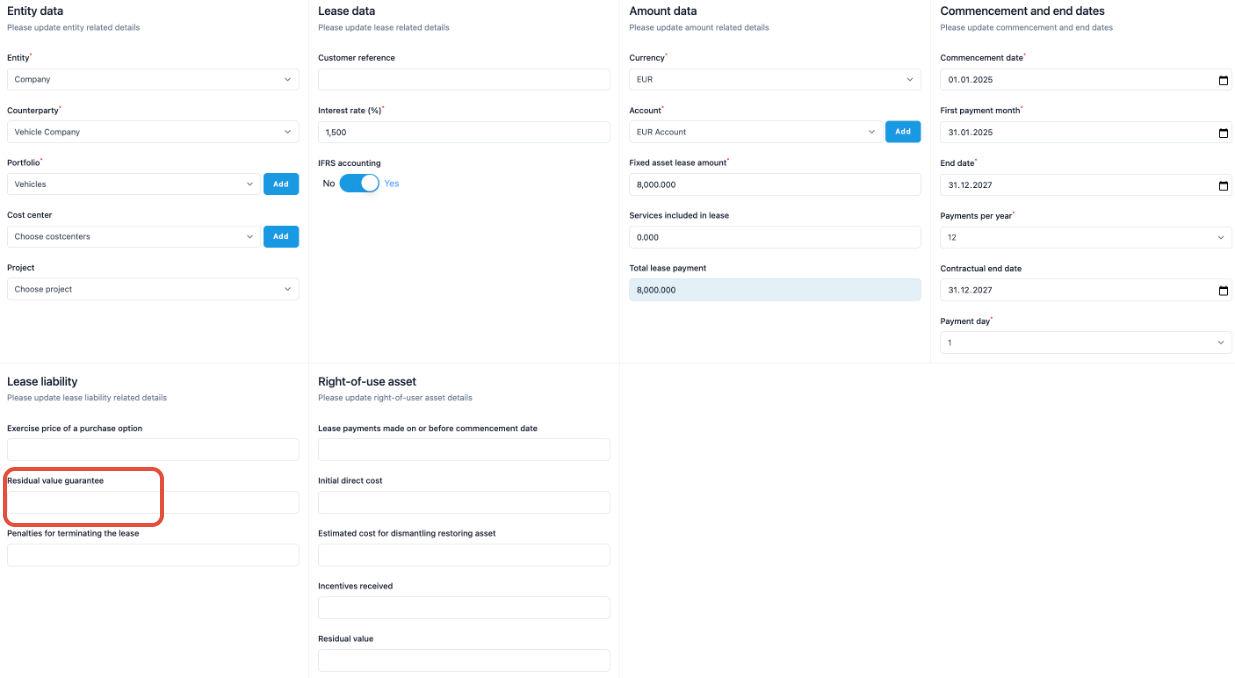
You can add the information about the residual value guarantee under the Additional tab in the Text field.
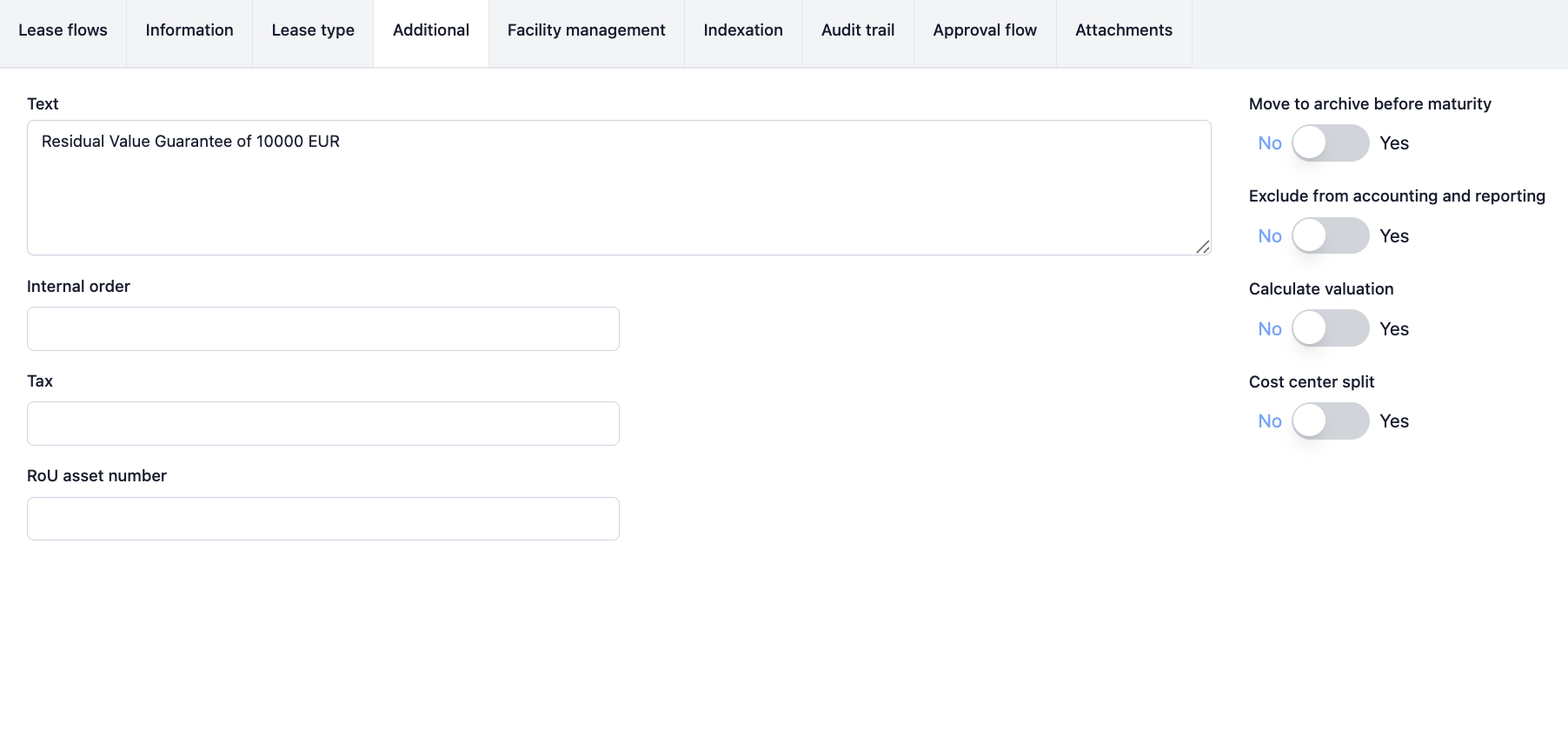
1.B The estimate of the residual value at lease term end comes in and it is equal to the residual value guarantee. It’s estimated to be 10 000 € on 31.12.2027. Because the estimate is equal to your guarantee, you should enter the lease normally and leave the Residual value guarantee field empty.
However, you might also want to monitor how the estimate of the residual value at lease term end develops over time. If the estimate of residual value at lease term end falls below the residual value guarantee, make a lease change (section 2 below).
Same as in 1.A, you can add the information about the residual value guarantee under the Additional tab in the Text field.
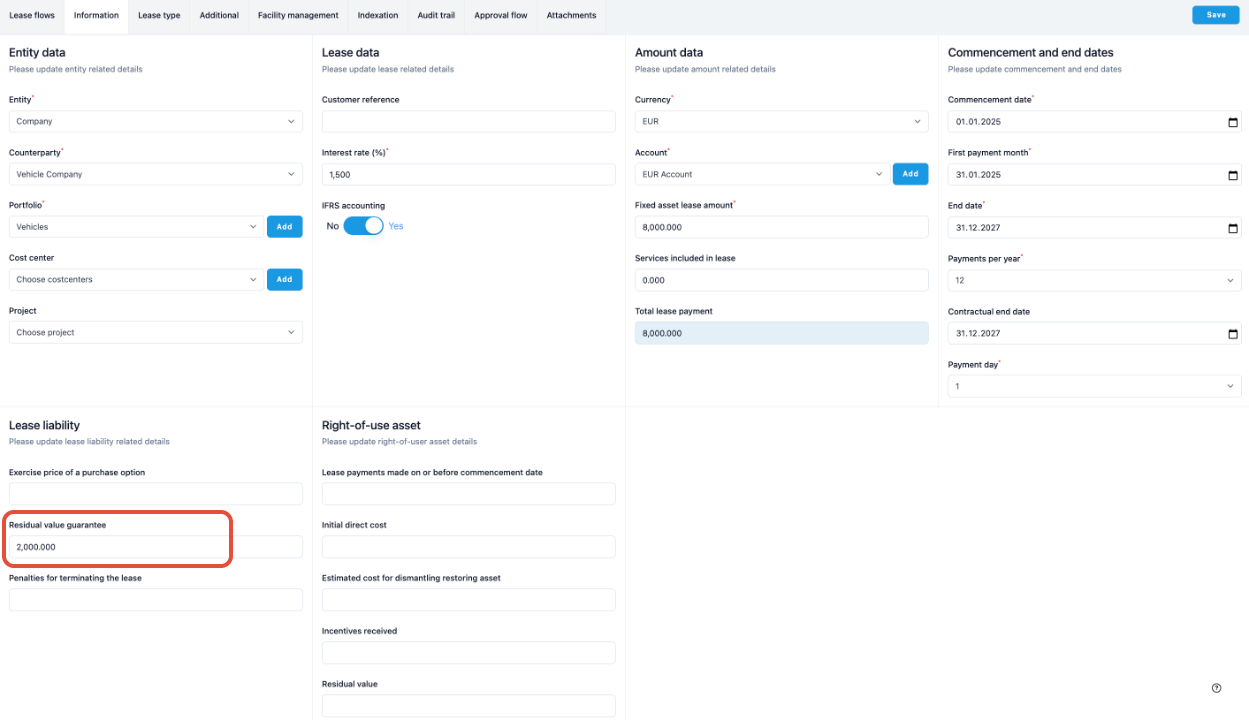
1.C The estimate of the residual value at lease term end comes in and it is lower than the residual value guarantee. It’s estimated to be 8 000 € on 31.12.2027. Because the estimate is lower than your guarantee, you should enter the difference between Residual value guarantee and estimated residual value in the Residual value guarantee field.
In this example, 10 000 € - 8 000 € = 2 000 € (expected cost of the residual value guarantee)
2. If the estimate of the residual value at lease term end changes
from above or equal to residual value guarantee to below residual value guarantee
from below residual value guarantee to another value, still below residual value guarantee
from below residual value guarantee to above or equal to residual value guarantee
→ you should make a lease change that modifies the value in the Residual value guarantee field.
Let’s say in this example that the estimated residual value at lease term end was 15 000 € (above residual value guarantee), but it is now updated to 8 000 € (below residual value guarantee), the following lease change should be made:
On the lease’s page, navigate to the Lease changes tab.
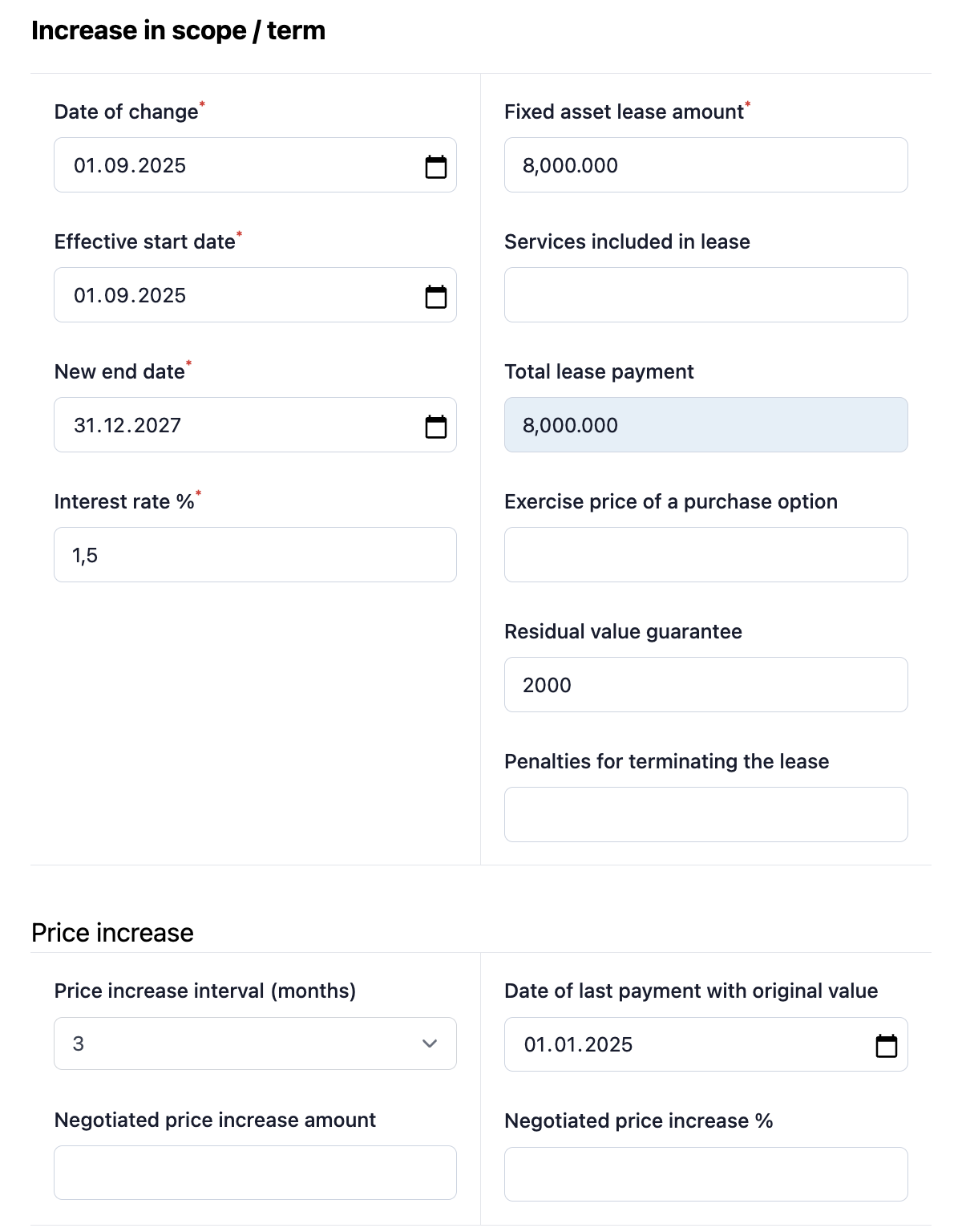
Choose Increase in scope / term
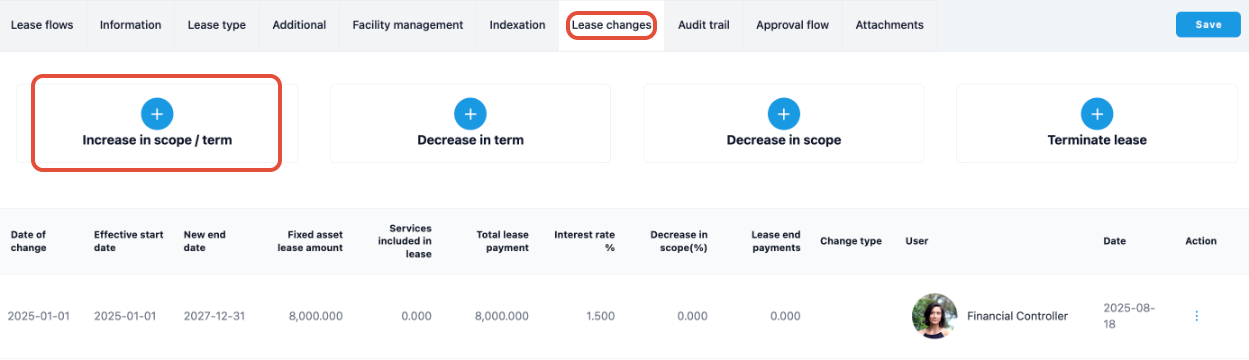
Choose Date of change and Effective start date to match with the next lease payment.
Enter the updated Residual value guarantee value in the Residual value guarantee field.
Formula: Value for Residual value guarantee field (2 000 €) = Residual value guarantee (10 000 €) - Estimate of residual value at lease term end (8 000 €). Press save.
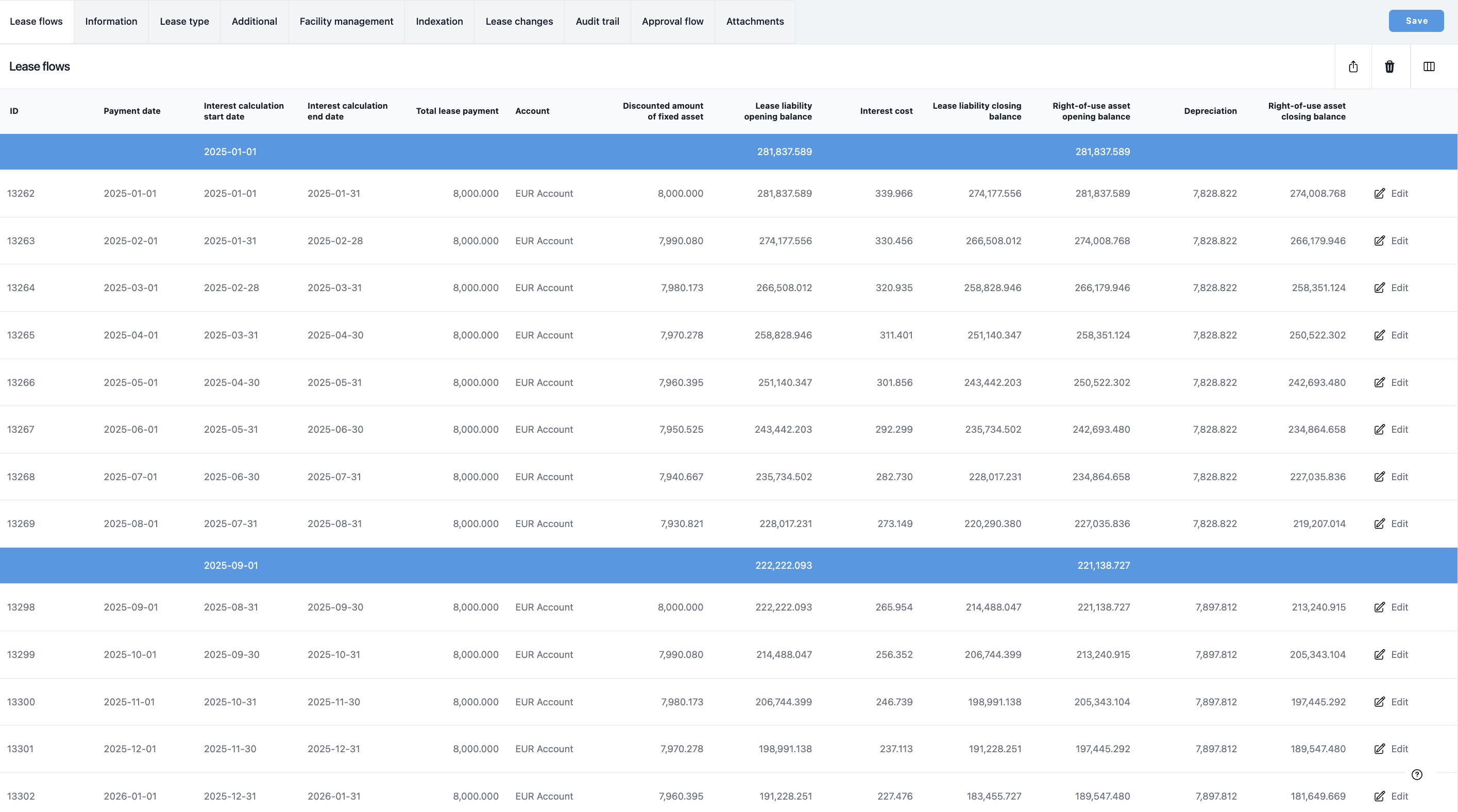
The lease change has now updated the Residual value guarantee field.
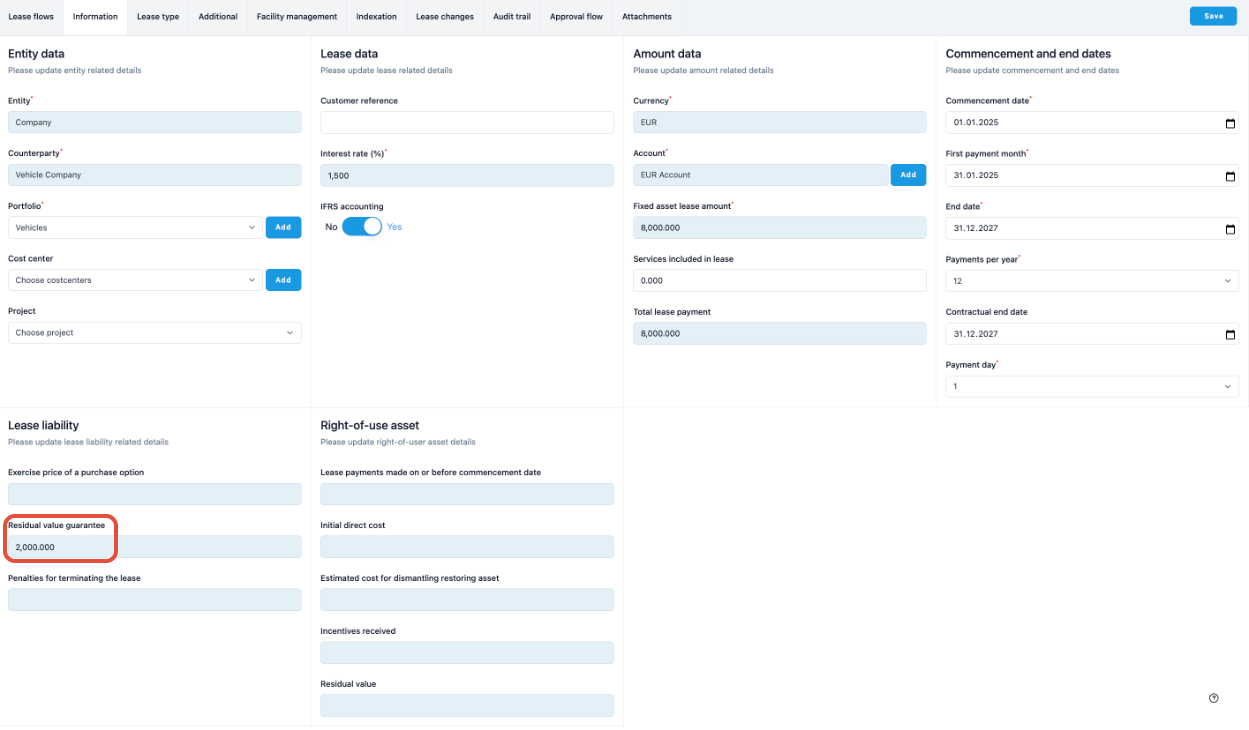
This can be confirmed in the Information tab of the lease.
If the estimate of residual value on lease term end was below the residual value guarantee and is updated to equal or above the residual value guarantee, the lease change can be done the same way but the Residual value guarantee field is then edited to contain the value 0.
Was this article helpful?
That’s Great!
Thank you for your feedback
Sorry! We couldn't be helpful
Thank you for your feedback
Feedback sent
We appreciate your effort and will try to fix the article