Before you can start using the ZenTreasury API, you’ll need an access token — think of it as a secure password that tells the system who you are and what data you're allowed to access.
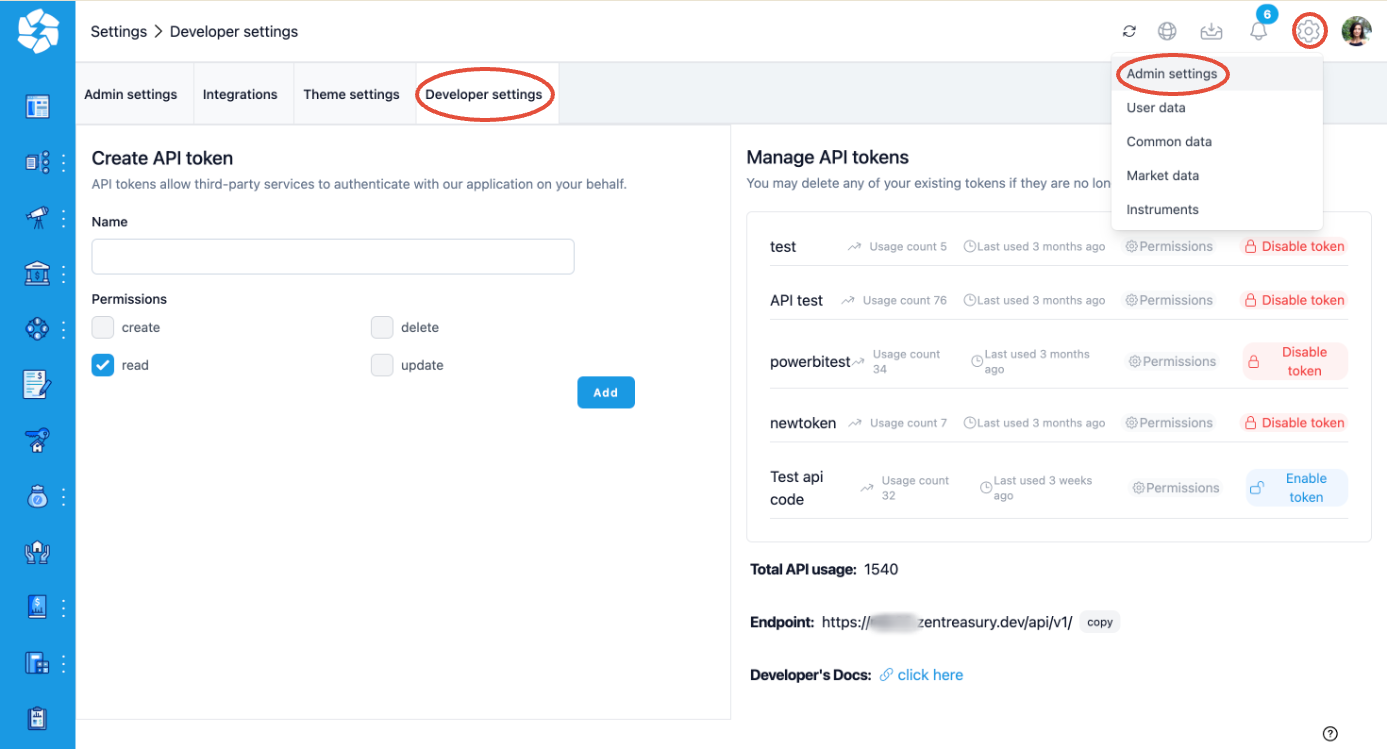
To generate an access token:
Go to your Admin Settings in ZenTreasury.
Open the Developer Settings tab.
From there, you can create and manage your API access tokens.
Note: The Developer Settings tab is hidden by default in most environments.
To gain access, simply send us an email requesting API usage. Once approved, we’ll enable the developer section for your user profile.
Was this article helpful?
That’s Great!
Thank you for your feedback
Sorry! We couldn't be helpful
Thank you for your feedback
Feedback sent
We appreciate your effort and will try to fix the article