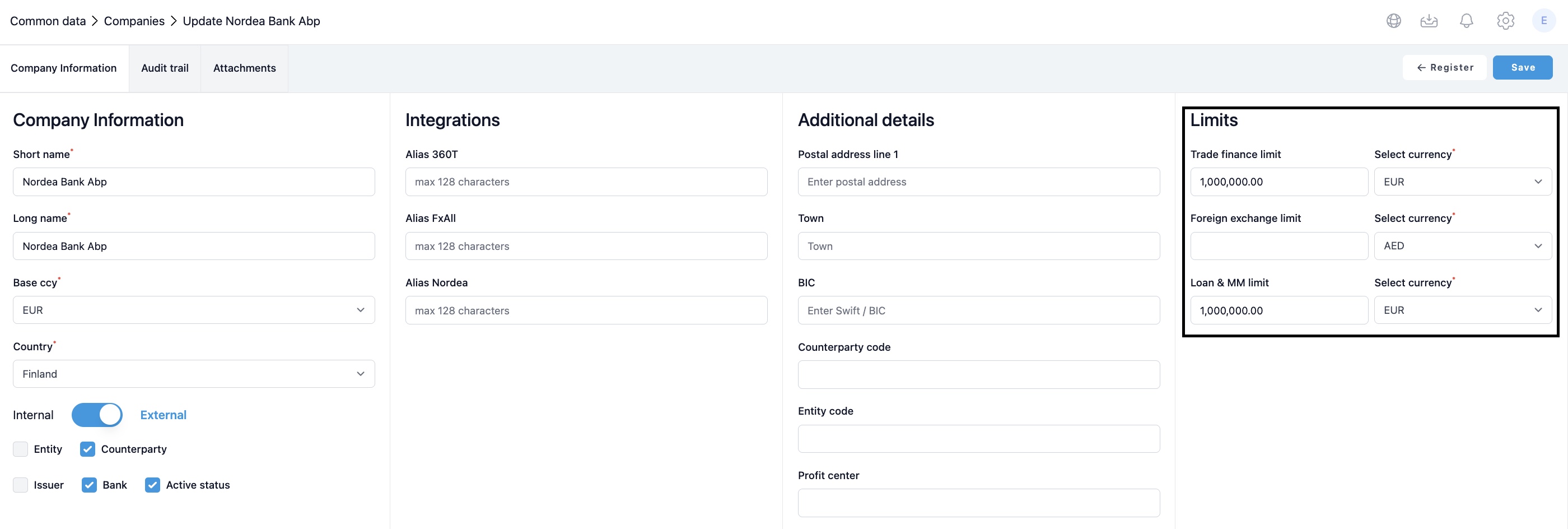
The Loan Limit Report is designed to monitor and manage counterparty exposure across different instrument categories. By setting counterparty limit for each company within the company register, users can effectively track and control their financial exposure.
Limits can be set from Settings > Common data > Companies > Edit.
Generating the Report
Loan limit report organises data by counterparty, summarising open balances for each counterparty as per the report date. Balances are displayed in the base currency under the 'Unpaid debt amount'.
Reports shows limit for each counterparty and usage of the limit on available / overdrawn column.
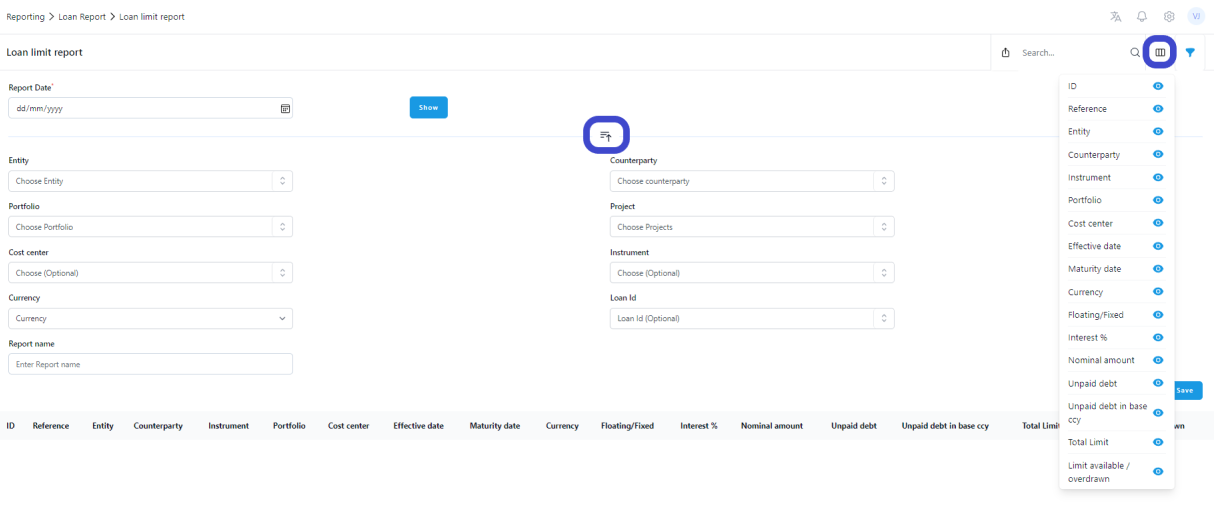
Filtering Options: Click the filter icon to access a variety of options to see exactly what you need from the report. Options include entity, portfolio, counterparty and loan id.
Currency Selection: Convert loan amounts into selected currency using the end date market rate. This feature depends on rate availability on Settings > Market Data > Foreign Exchange Rates.
Column Visibility: You can choose to hide columns that you don't need. This customisation allows you to focus on the most relevant information, with the option to conduct more detailed analyses separately if required.
Was this article helpful?
That’s Great!
Thank you for your feedback
Sorry! We couldn't be helpful
Thank you for your feedback
Feedback sent
We appreciate your effort and will try to fix the article