With the Trade limit report you can follow your counterparty exposure per each counterparty.
Counterparty limits can be set in under each company in the company register:
Settings > Common Data > Companies
Navigate to Limits settings and set the desired limit policies.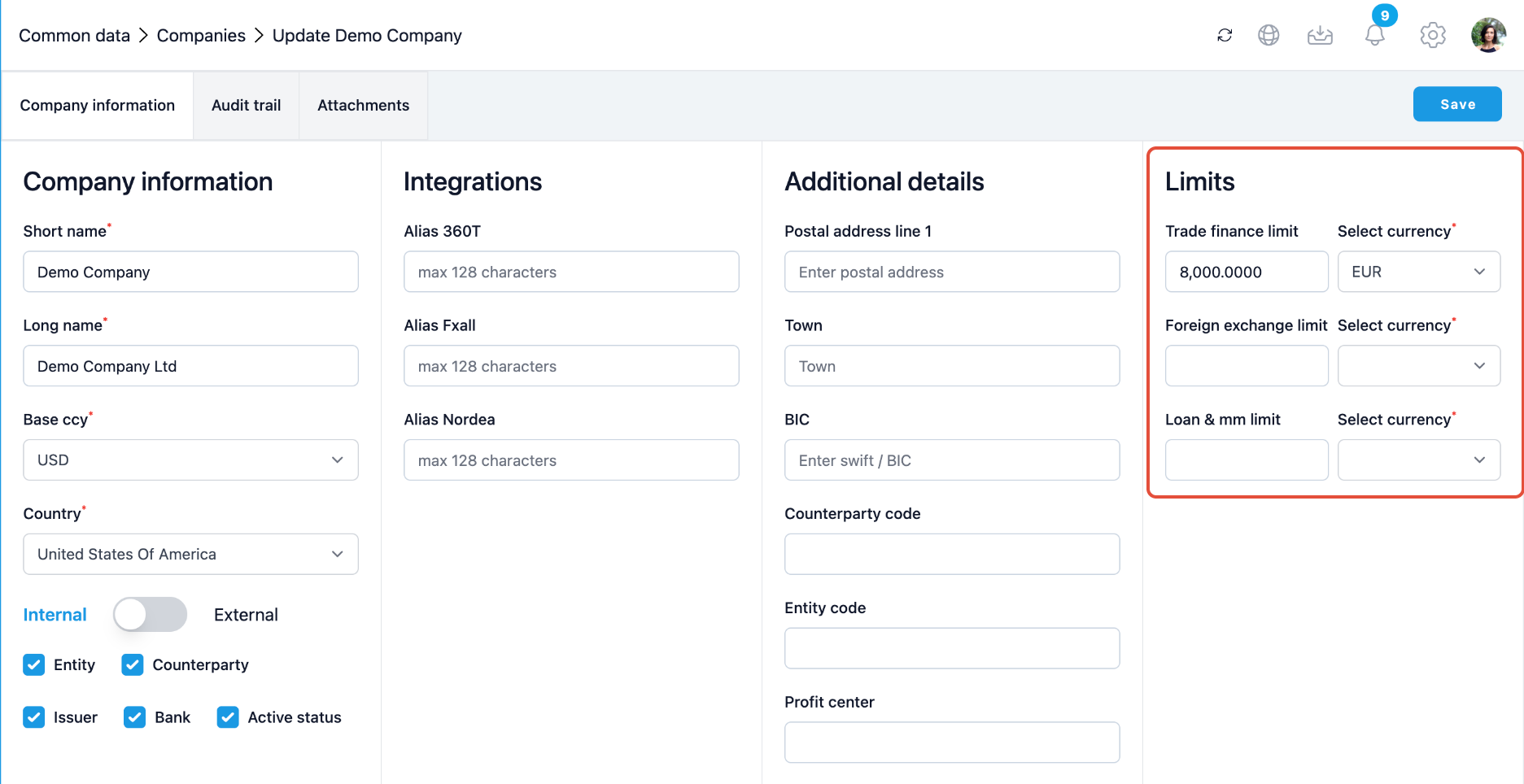
To generate the Trade Finance Lmit Report navigate to Reporting > Trade Finance > Trade finance limit report.
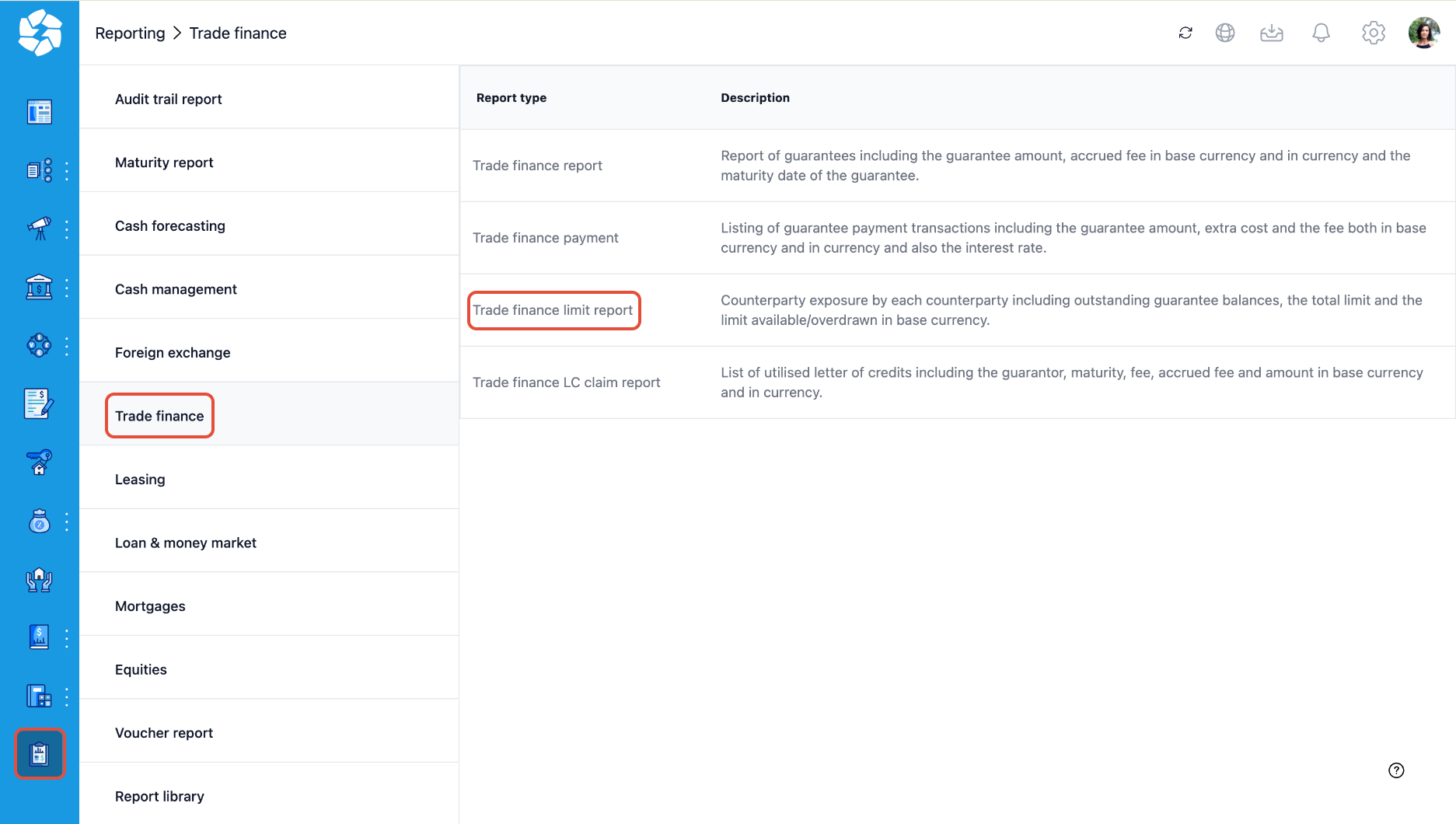
Fill in the Report date and optionally set up the parameters you want to run the report for and click Show.
You can also save the report to your Report Library by giving it a report name and clicking Save.
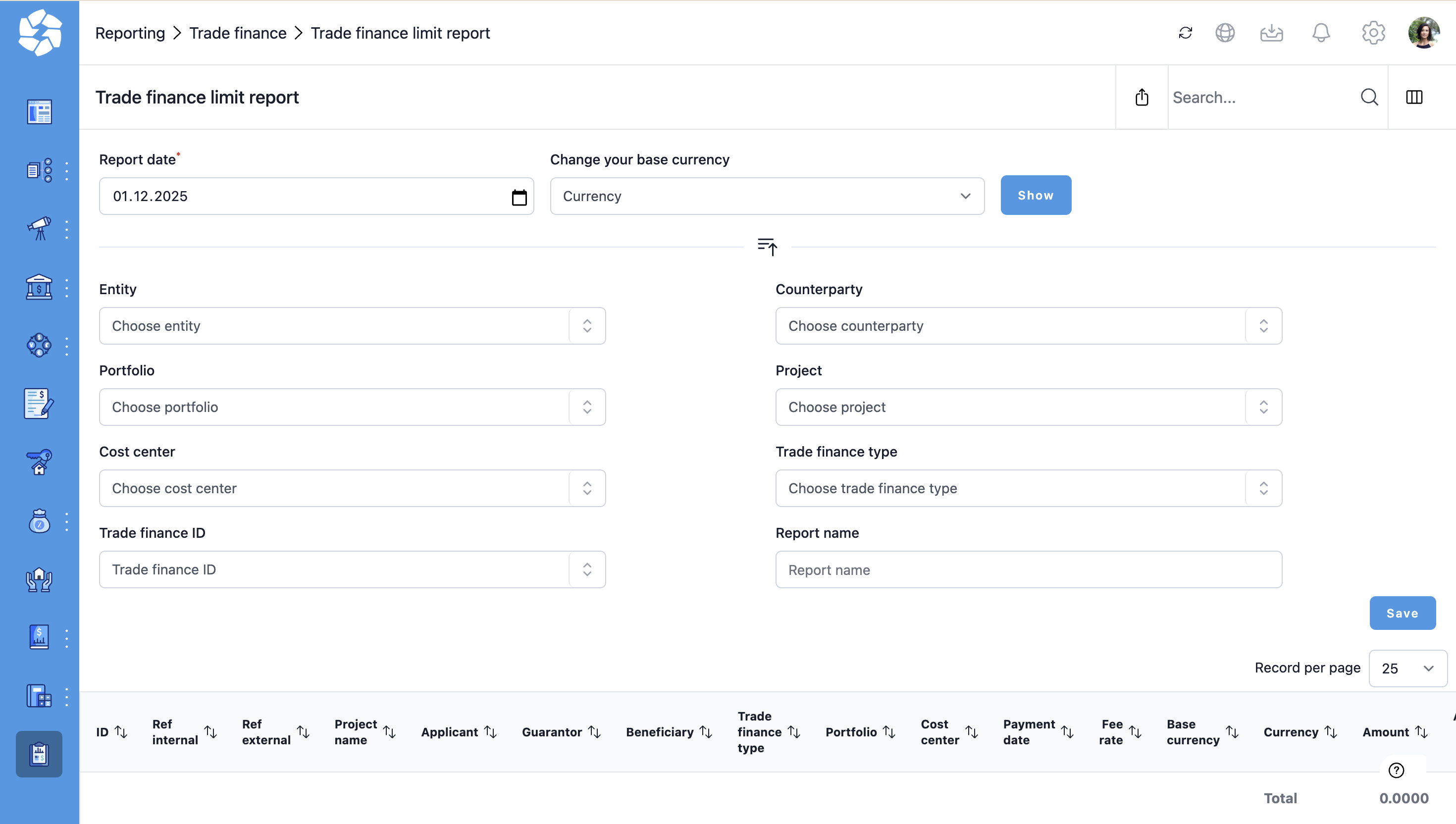
The report arranges the data based on the counterparty. The report will summarise open balances per Report date, per each counterparty into a Guarantee amount in the base currency (subtotal). On that subtotal for the choosen counterparty, the report will list the limit set in the company register on the Total limit column. Limit available / overdrawn column shows the difference between the open guarantee balance and the limit.
Was this article helpful?
That’s Great!
Thank you for your feedback
Sorry! We couldn't be helpful
Thank you for your feedback
Feedback sent
We appreciate your effort and will try to fix the article