You can find FX quotation tab under Foreign Exchange module.
FX quotation allows you to input the offers regarding the FX transactions into the system. When an offer has been chosen, it can be converted into an actual deal and the rest of the quotations can be left under FX quotation tab or deleted, which ever is the preferred method by your company.
Creating FX quotation
FX quotation is filled exactly like an actual FX spot or forward, but it stays on FX quotation tab unless it will be converted into an actual deal. Instructions how to fill in the fields can be found in Foreign Exchange (FX) article.
Converting quotation into a real FX deal
Step 1: When you have saved the quotation and want to convert it into an actual FX deal, go to the quotation in question, click the three dots at the end of the row and select Edit.

Step 2: In the edit view click 'Convert real' button.

Step 3: Click 'Save' and go back to register.

In FX quotation register the quotation in question has now ''Converted fxdeal id'' number.

In Foreign Exchange register you can see the deal ID 40 as an actual FX deal.

Deleting the quotation from the register
The original quotation stays in the Foreign Exchange quotation register as a historical data, but it can also be deleted from there, if you wish to do so.

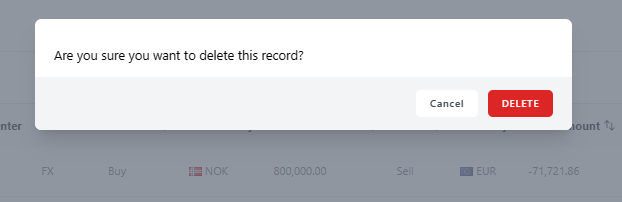
A pop-up window will appear to confirm the deletion of the quotation, just click 'Delete' and the quotation will be deleted permanently.
Was this article helpful?
That’s Great!
Thank you for your feedback
Sorry! We couldn't be helpful
Thank you for your feedback
Feedback sent
We appreciate your effort and will try to fix the article