Portfolios can be created as needed. The 'Portfolio' feature is available for selection when generating reports. Even if your company does not actively use portfolios, this feature can still be utilized as an alternative classification method. This can be particularly useful for tailoring reports or viewing dashboards from a specific perspective.
Creating a portfolio
Step 1: Navigate to Settings - Common Data - Portfolios. Click + icon on top right to create a new portfolio.

Step 2: Give the portfolio a Short name and Description
- You have the option to designate one of these portfolios as the default for imported deals. Once a portfolio is set as the default, this option will no longer be available for other portfolios.
- If you wish to change the default portfolio, you must first deselect the current default. After doing so, you can then assign the default status to a different portfolio.

Click 'Save'.
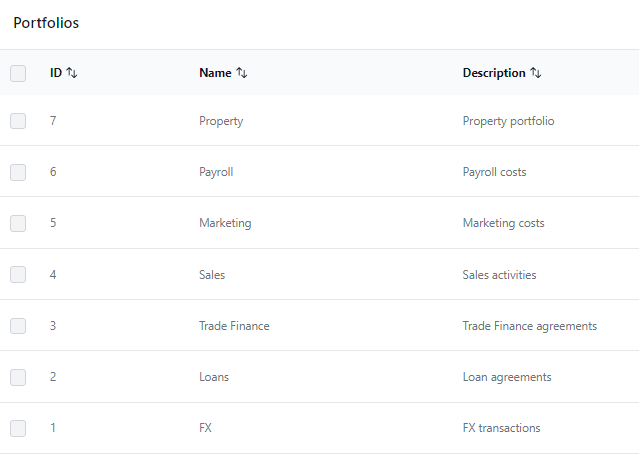
Below are some examples of the portfolios that could be useful features for the classification of the reports and tailoring dashboard views.
Was this article helpful?
That’s Great!
Thank you for your feedback
Sorry! We couldn't be helpful
Thank you for your feedback
Feedback sent
We appreciate your effort and will try to fix the article