The 'Cost Center' feature is available for selection when generating reports. If the company does not utilize actual cost centers, this feature can still be used for other classifications that are helpful in report generation or for viewing dashboards from a specific perspective. You can create new cost centers as needed.
To add cost center go to Settings - Common Data - Cost centers and click the + icon.

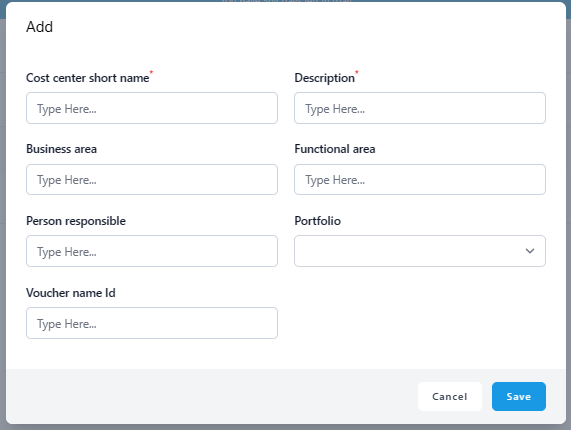
Fill in the needed fields. Cost center short name and Description fields are obligatory, other fields are optional. When you have added the needed information, click 'Save'.
Was this article helpful?
That’s Great!
Thank you for your feedback
Sorry! We couldn't be helpful
Thank you for your feedback
Feedback sent
We appreciate your effort and will try to fix the article