To add a company credit card, go to Cash Management module and from there to Credit card tab. Click the + icon on the top right.
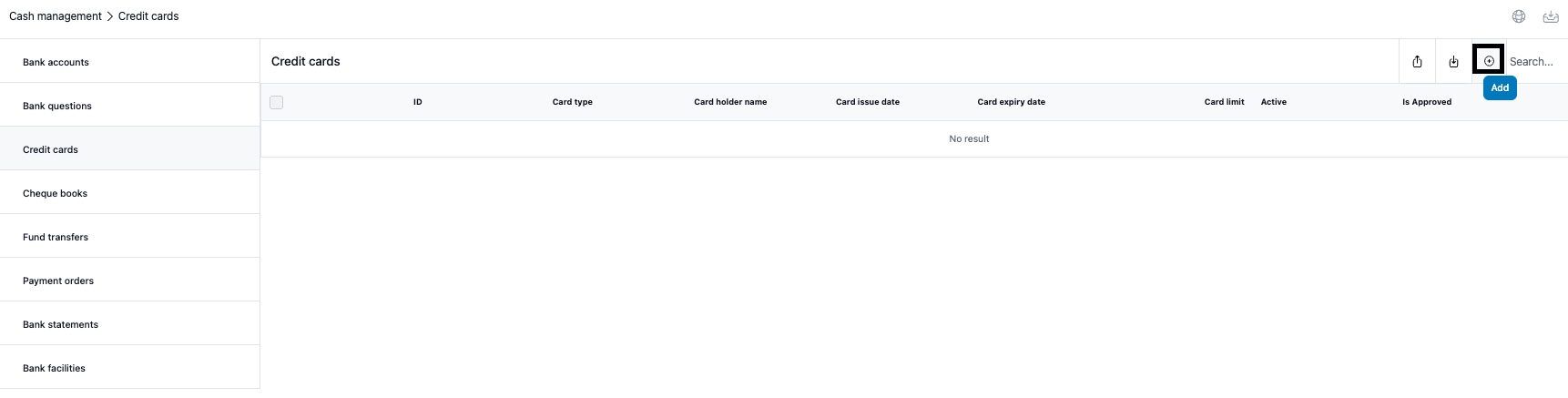
Fill in the fields for the credit card. Explanations below.
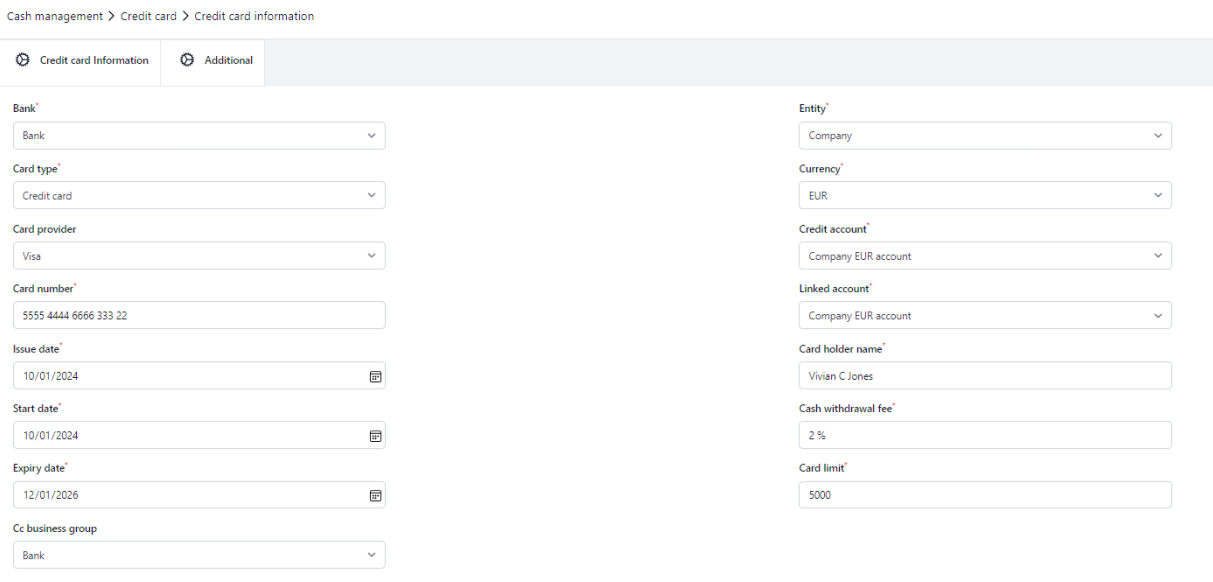
Card type
Define what kind of card is in question. Options are credit card, Debit card, Credit/Debit card or Purchase card.
Card provider
The provider of the card. Options are Visa, Mastercard, Maestro and Amex.
Issue date
The date when the card was issued.
Start date
The date from which the card is valid.
Expiry date
The date when the card is valid for the last day.
Credit account
The account from which the credit card invoice is paid.
Linked account
The account from which the debit card purchases are paid from.
Cc business group
The bank that is linked with the credit/debit/purchase card.
ADDITIONAL TAB
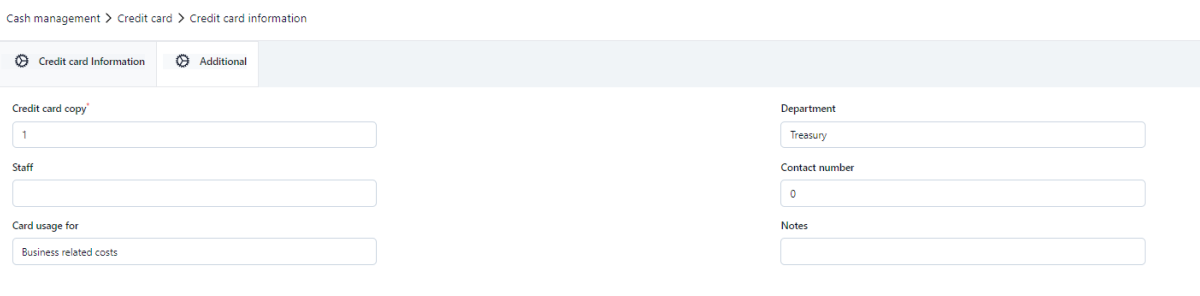
Credit card copy
How many copies of the card in question there is.
Staff
Free text field.
Card usage for
The allowed usage of the card in question.
Department
Department of the holder of the card in question.
Contact number
The telephone number of the department or the card holder.
Notes
Free text field.
AUDIT TRAIL
Shows the changes made regarding the card information.
APPROVAL FLOW
Shows the possibly related approval flow regarding the card information. For example approval chain of a new card or changes made regarding the card information.
Was this article helpful?
That’s Great!
Thank you for your feedback
Sorry! We couldn't be helpful
Thank you for your feedback
Feedback sent
We appreciate your effort and will try to fix the article